Answered
Error updating Adobe apps
Hello everyone, I can not update the app adobe because I come out this error message. You know what can I do? thank you
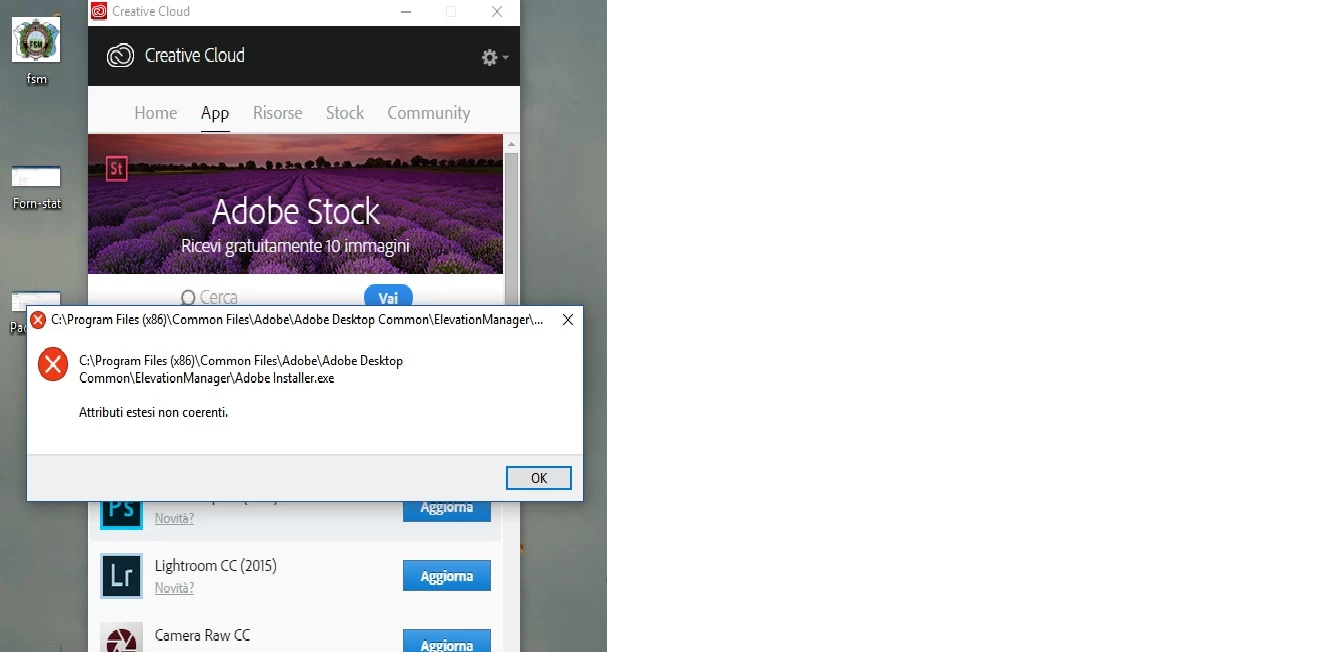

Hello everyone, I can not update the app adobe because I come out this error message. You know what can I do? thank you
Windows 10 Pro
I have only one account in this pc, and this is my home computer
Thank you for the update Mxloren. From the error it looks as if your current User account may not have the required access. I would recommend you begin the installation process again in a newly created local Administrator account. Complete details on how to set up a new account for Windows 10 can be found at Adobe troubleshooting: Creating an admin account in Windows.
Once logged in under the newly created local Administrator account then utilize the steps listed in Update apps to Adobe Creative Cloud 2017 to apply the recent update.
Already have an account? Login
Enter your E-mail address. We'll send you an e-mail with instructions to reset your password.
 AdChoices