ashkkgupta
Participating Frequently
December 17, 2016
Answered

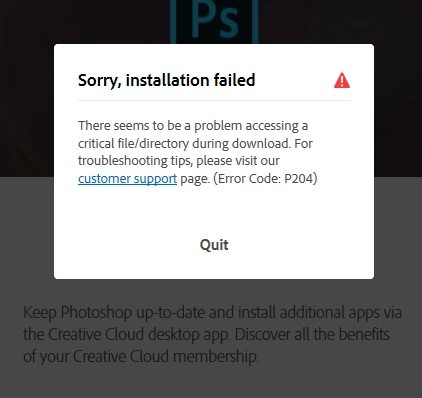
Error while downloading Photoshop through photshop installer (Error Code: P204)
  • December 17, 2016
  • 3 replies
  • 1737 views

This topic has been closed for replies.
Correct answer Atul_Saini

Hi Ashkkgupta,

Thanks for sharing the screenshot, as you have mentioned that you have encountered error P204 while downloading Adobe Photoshop CC 2017, I would request you to try to download it using Creative Cloud which is available here: -Download Adobe Creative Cloud apps | Free Adobe Creative Cloud trial.

If it still persists, you may try the steps mentioned here for error 204: -Error 204 when downloading Creative Cloud on Mac

Please feel free to update this discussion in case you need further assistance.

Thanks.

3 replies

Participant
June 16, 2017

After spending many hours trying to no avail to install Creative Cloud and/or Photoshop (after downloading the .EXE files), I found a nugget of info that did the trick. 

To remedy the issue, I uninstalled an app named ByteFence AntiMalware and lo and behold, presto, I was able to install the downloaded .exes with no issues at all.

As i was installing on a brand new Dell Windows 10 laptop, I did not know that ByteFence was installed, let alone enabled.  It sure did byte me! 

Hope this helps someone!

Atul_Saini
Atul_SainiCorrect answer
Legend
March 29, 2017

Hi Ashkkgupta,

Thanks for sharing the screenshot, as you have mentioned that you have encountered error P204 while downloading Adobe Photoshop CC 2017, I would request you to try to download it using Creative Cloud which is available here: -Download Adobe Creative Cloud apps | Free Adobe Creative Cloud trial.

If it still persists, you may try the steps mentioned here for error 204: -Error 204 when downloading Creative Cloud on Mac

Please feel free to update this discussion in case you need further assistance.

Thanks.

Akash Sharma
Legend
March 23, 2017