learrodz
Participant
November 22, 2018
Answered

Fatal Error '117' occurred while download

  • November 22, 2018
  • 1 reply
  • 5040 views

Dear Adobe,

During the installation of Abode Illustrator(creative cloud) I get an error every time around 55% of the installation process (Error: C117)

I tried the following: Reinstalling and remove existing files, reboot and try again, Turning off the Firewall, Run as admin(user is Admin!)

Nothing helps, I am watching the screen, there is no loss of network or a sudden sleep mode.

The same happens when I try to Install Photoshop

@
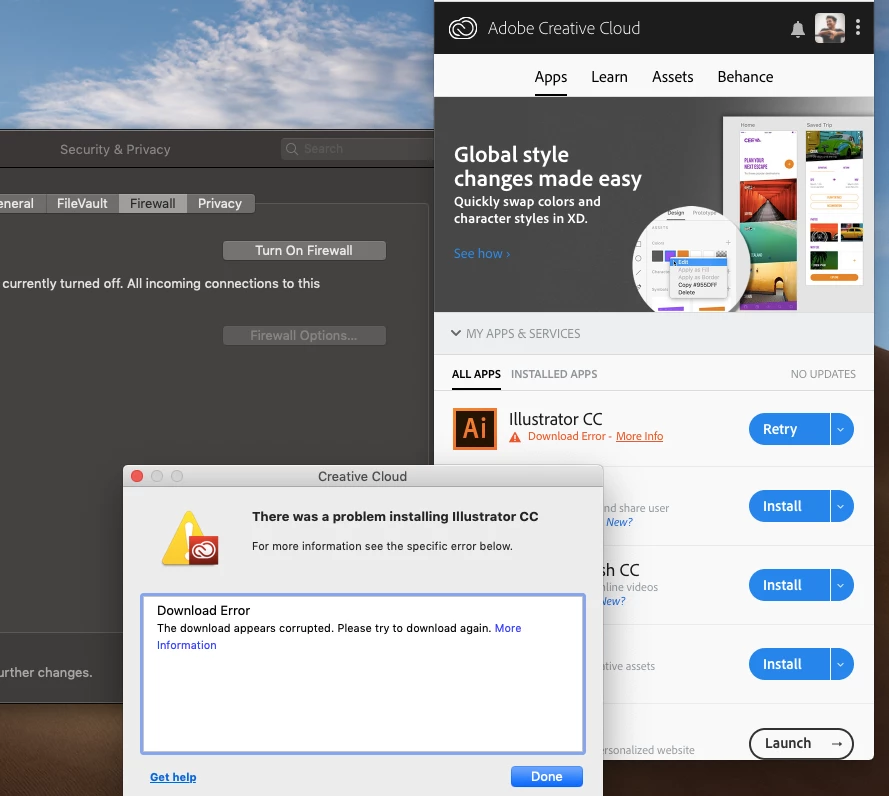
The following is what I get when I click more information button

Exit Code: 117

-------------------------------------- Summary --------------------------------------

- 3 fatal error(s), 0 error(s), 0 warnings(s)

FATAL: Fatal Error '117' occurred while download

FATAL: Fatal Error '117' occurred while download

FATAL: Error occurred in download of package (Name: AdobeIllustrator23-Core Version: 23.0.1.540). Error code: '117'

-------------------------------------------------------------------------------------

This topic has been closed for replies.
Correct answer Bani Verma

Hi Learrodz,

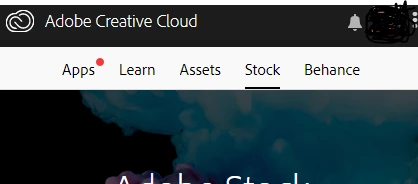
As per the screenshot, it seems that your Creative Cloud desktop app itself is not working properly. There should be five tabs in it as shown in the below screenshot, however, your CC desktop app only has four.

Lets first resolve this issue and it may in return resolve the other one for you, follow the steps given under 'Solution 2' here to resolve it: Resolve installation failure | Adobe Creative Cloud desktop application.

Share the results with us.

1 reply

Govardhan.V
Participating Frequently
November 22, 2018

Have you tried with all the troubleshooting steps mentioned in below links ? Let us know.

Resolve connection errors with Adobe Creative Cloud and Creative Suite applications

Error 117 occurred during download

Clear the Temp folder .

Disable Firewall.

Check Hosts file for any Adobe entries with loop back address 127.0.0.1

make sure Proxy settings is set to detect settings Automatically  .

For time being , you may install using direct download link : It is very important to resolve connectivity issue.

Download Creative Cloud apps

learrodz
learrodzAuthor
Participant
November 22, 2018

I tried doing it the above way its not working

Bani Verma
Community Manager
Bani VermaCommunity ManagerCorrect answer
Community Manager
November 26, 2018

Hi Learrodz,

As per the screenshot, it seems that your Creative Cloud desktop app itself is not working properly. There should be five tabs in it as shown in the below screenshot, however, your CC desktop app only has four.

Lets first resolve this issue and it may in return resolve the other one for you, follow the steps given under 'Solution 2' here to resolve it: Resolve installation failure | Adobe Creative Cloud desktop application.

Share the results with us.