



Answered
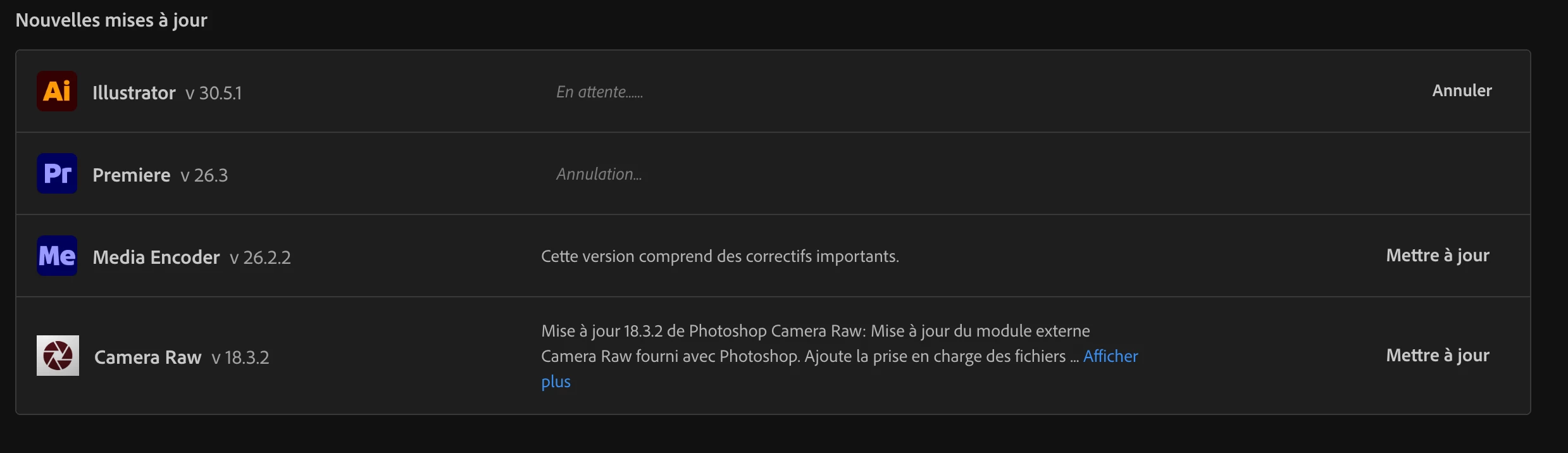
Following an update, the cancellation procFollowing an update, the cancellation process for one of the applications never seems to finish.ess for one of the applications never seems to finish.
Hi how are you?
Following an update, the cancellation process for one of the applications never seems to finish.
I started updating my Adobe applications, but it was taking far too long. Since I don't use Premiere, I decided to cancel its update so that the installer could focus on Illustrator instead. However, the status has been stuck on "Cancelling..." for ove
r two hours now.
I tried opening Premiere, but it won't launch. I also tried uninstalling it, but that's not possible either.
How fix it? Thanks
 AdChoices