

Participant
January 26, 2025
Question

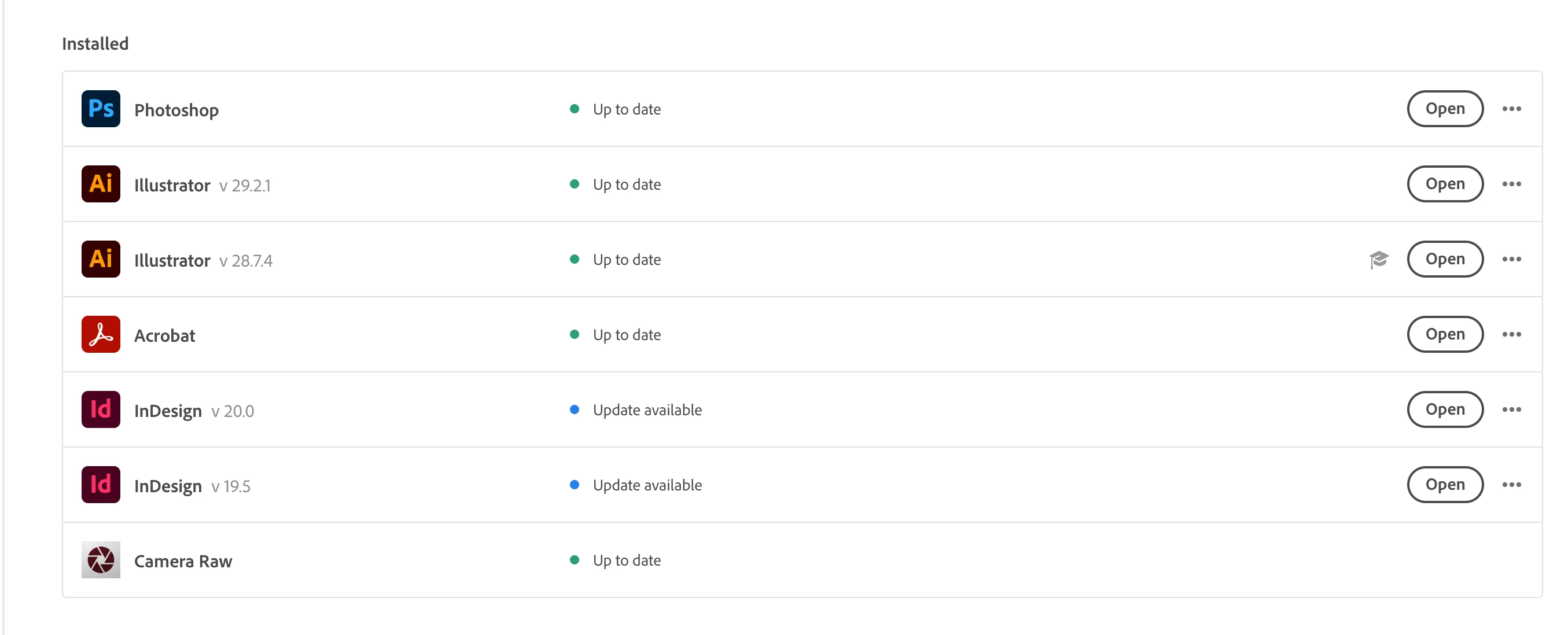
Have 2 versions of both Illustrator and Indesign installed on my Imac....

  • January 26, 2025
  • 4 replies
  • 152 views

Which do I keep, I need to purge apps I dont need for space. All other Creative Cloud apps are fine.

4 replies

Shivangi_Gupta
Community Manager
Community Manager
January 31, 2025

Hi @Valerie McMillen,

We appreciate you writing in. You can uninstall the older version as suggested by the expert above, however please make sure you do not have any pending project that you need the older version for. 
At Adobe we advise to complete the pending projects on any Creative Cloud app before updating to avoid any compatibility related issues with the ongoing project assets.

Let us know if you have any questions. 


Thanks,

Shivangi

Nancy OShea
Community Expert
Community Expert
January 26, 2025

I have over a terabyte of disk space, so I keep older versions just in case. But typically the latest version is the one you should use, if it suits your workflow.


There's an option box in Creative Cloud Desktop App to remove older versions when you update.  See screenshot.


Hope that helps.


Nancy O'Shea— Product User & Community Expert
kglad
Community Expert
Community Expert
January 26, 2025

in the future, to find the best place to post your message, use the list here, https://community.adobe.com/

p.s. i don't think the adobe website, and forums in particular, are easy to navigate, so don't spend a lot of time searching that forum list. do your best and we'll move the post (like this one has already been moved) if it helps you get responses.


<"moved from cc desktop">
kglad
Community Expert
Community Expert
January 26, 2025

uninstall the older version IF the newer works without problems.