August 28, 2013
Question

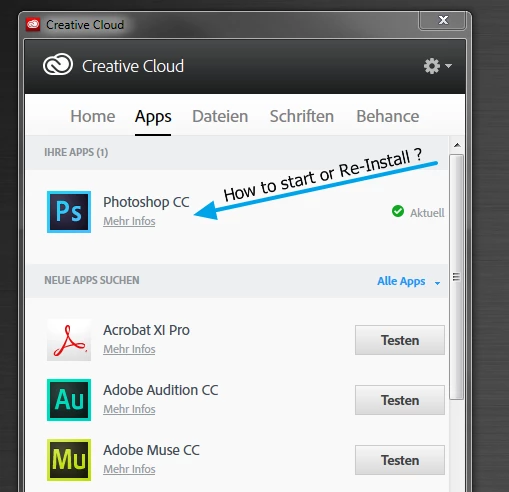
Have installed Adobe Photoshop CC. How to start it ?
  • August 28, 2013
  • 1 reply
  • 517 views

Have installed "Creative Cloud" - Tool. THen I installed "Photoshop CC" as "Test". After that I see "Photoshop CC" in "My Apps" but I cant find any "Photoshop.exe". How can I start it or install it again ?

    This topic has been closed for replies.

    1 reply

    kglad
    Community Expert
    Community Expert
    August 28, 2013

    check your desktop for an icon, or click start/programs/adobe photoshop cc

    August 28, 2013

    There is no Icon on the Desktop and no Entry in the Windows Start Menu. And there is also no Photoshop.exe File in the Programs/Adobe/PhotoshopCC Folder. I've deinstalled it via "Programs and Features". Can't Deinstall it with the "Creative Cloud" Tool.

    MichaelKazlow
    Legend
    August 28, 2013

    If you de-installed it, you cannot run the program.