

Have Never Been Able to Smoothly Install CC Updates
Please note that I would rather have emailed this directly to Adobe Support but could find no option to do so. Although my attitude is hopeful and positive, I admit that I am tired of contacting support or searching forums every single time a CC update is released. This is an on-going issue and I post this here in the hope that a true solution can be reached.
Dear Adobe Support,
Since becoming a Creative Cloud member in November of 2013 I have never had an application update go smoothly. That is not hyperbole - I literally have never been able to update any CC application without hassle.
Typically the update issues are related to the Creative Cloud desktop application itself. I run CC on a desktop computer at home and a laptop for travel (both are Win7 PC's). Until this most recent (2015) update, I was never once able to get CC to update without the help of support. After numerous calls to support (most recent case number is 186138615), I finally wrote down the steps that were always taken so I could implement the fix myself. These are those steps:
- Use CC Cleaner to uninstall the CC application
- Restart machine
- Rename OOBE folders in two locations.
- C:\Users\xxx\AppData\Local\Adobe
- C:\Program Files (x86)\Common Files\Adobe
- Make sure AAM is not running in the background (end process in Task Mgr.)
- Setup Creative Cloud
After stepping through the above process, I was able to update the CC applications (Photoshop and Lightroom). However, this is a bit of a hassle to do every time I want to install an update for Photoshop or Lightroom. I'd rather not have to do it, but at least it worked. It worked on my desktop machine until the 2015 update this week. After running through the steps again, I am able to update the Creative Cloud application itself, but not Photoshop. This is the error I always get now:
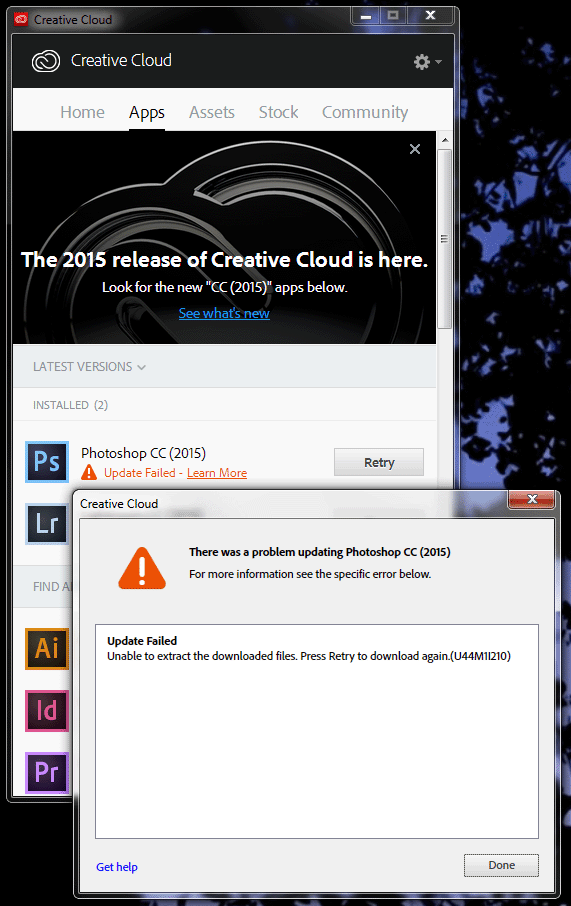
Nothing I have tried has allowed me to get past this error.
I used to be able to install CC updates on my laptop machine without issue. With the 2015 update, I am unable to install or update anything, including the Creative Cloud desktop application. Even after running through the steps-to-fix mentioned above, when I try to re-install Creative Cloud, I get the following error:
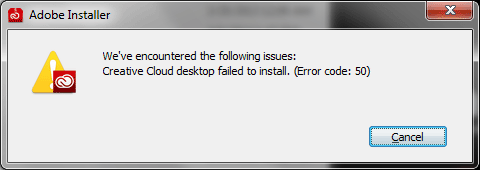
Now I cannot install the Creative Cloud desktop application on my laptop, which means I cannot get any updates to Photoshop or Lightroom at all.
As things stand at present, I cannot update Photoshop on my desktop machine and cannot update anything on my laptop. This is distressing as I have always paid my subscription fee each month since first subscribing to CC. It was a hassle to have to uninstall CC every time an update was released, but at least that used to work. Now I am truly stuck and feel that I am not getting the products I pay for.
I would appreciate any advice you can give to:
- Help me update my CC applications and continue to update them in the future
- Ensure that I do not need to contact Adobe Support every time an update is released
Thank you for your consideration,
~Steve
 AdChoices