October 17, 2013
Question

Having trouble installing Creative Cloud, Error Code: A12E4

  • October 17, 2013
  • 1 reply
  • 786 views

Hello, I am having trouble installing Creative Cloud Installer and I am getting an error code A12E4.

I am a Mac OS X User running 10.5.8 version.
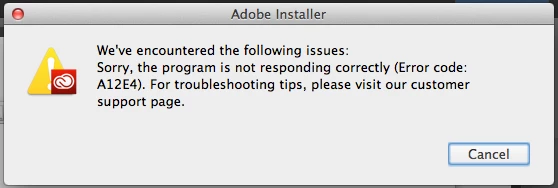
I have enabled root options, disabled firewall, downloaded manually Application Manager 7 (which also gives error A12E4), renamed OOBE folder to OOBE.old and eventually unistalled and deleted everything but still getting this error.

Is there anything else I can do? I am really frustrated.

Thank you in advance.

Margaret

This topic has been closed for replies.

1 reply

Ned Murphy
Legend
October 17, 2013

Please see A12E1 error installing Creative Cloud products | CC -

http://helpx.adobe.com/creative-cloud/kb/a12e1-error-downloading-creat ive-cloud.html.

October 17, 2013

I have already seen this topic. I do not see any AAM Updates Notifier on Activity Monitor. I could not install Creative Cloud in the first place so it is not an option for me to reinstall it.

I have also used AdobeCreativeCloudCleaner Tool and removed Adobe Application Manager but still nothing.

What else could it be? Do I need to format my computer?

Thank you.

October 17, 2013

I have the impression that I sort of found a solution. From System Preferencies I changed the Automatic Login to Off, made a new administrator account and managed to install Creative Cloud from there. Then I logged in back to my account and just by miracle the Creative Cloud icon appeared on my status bar.

I hope others with the same problem will be helped from my solution.