Participant
March 24, 2013
Question

Help needed with updates!

  • March 24, 2013
  • 3 replies
  • 1159 views

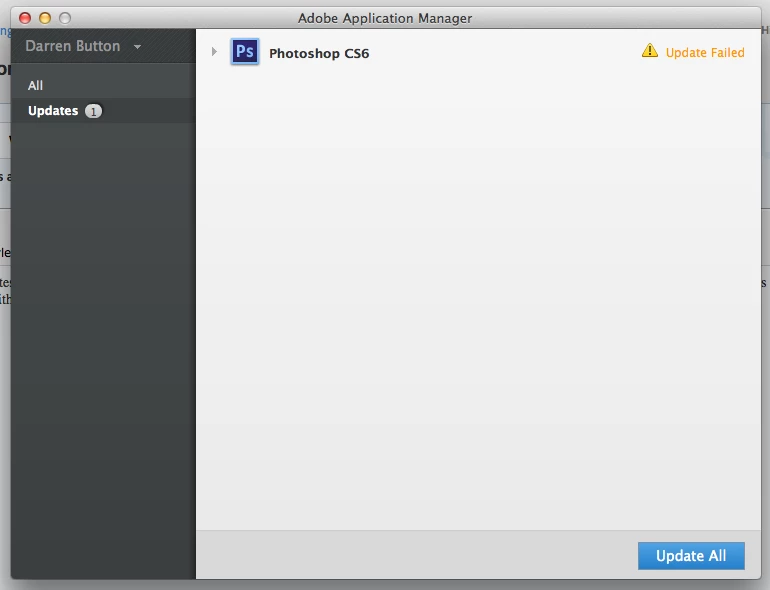
Every time I download updates to Photoshop CS6 via the application manager on Creative Cloud, it downloads fine but always fails on the update.  I have tried this twice now in the space of week.  Comes up with an error message but doesn't say what the error is?  Help needed

This topic has been closed for replies.

3 replies

AMreso
Inspiring
April 26, 2013
Participant
April 26, 2013

I am having exactly the same problem, the Photoshop update failing to install - error U44M1P7.

When I click the "More details" link, it sends me to a page that has only one line of text on it - "Error log file location: /Library/Logs/Adobe/Installers".

I've spent an hour looking for answers and all I've found are others with the same question. Getting help appears a horribly convoluted process and it doesn't look like there is any. Can Adobe please address this issue! Even a workaround of some kind would be helpful, I am wondering if I should try deinstalling and reinstalling Photoshop, has anyone tried that?

The prospect of being stuck in this version of Photoshop and not being able to access the great "New features!" through the course of the subscription because of an update glitch (which appears to affect a few of us) is a bit much, especially for those of us trying to earn a living!!

Participant
March 27, 2013

I am having the same issue with DW as well as PS.  All of my other apps update fine.

Participant
March 27, 2013

Who do we contact over this issue? Any ideas?

Thanks for letting me know its not just me

Participant
March 28, 2013

Yes I thought maybe it had something to do with my connection (or operator error ), but I have tried at various times throught out the week.  I was online yesterday with customer support chat and they determined that it was a tech issue .  They said I needed to contact tech support @1 800-833-6687 between 5a -7p.  I did not have an opportunity today but will try tomorrow. Hope that helps!