Participant
November 4, 2018
Answered

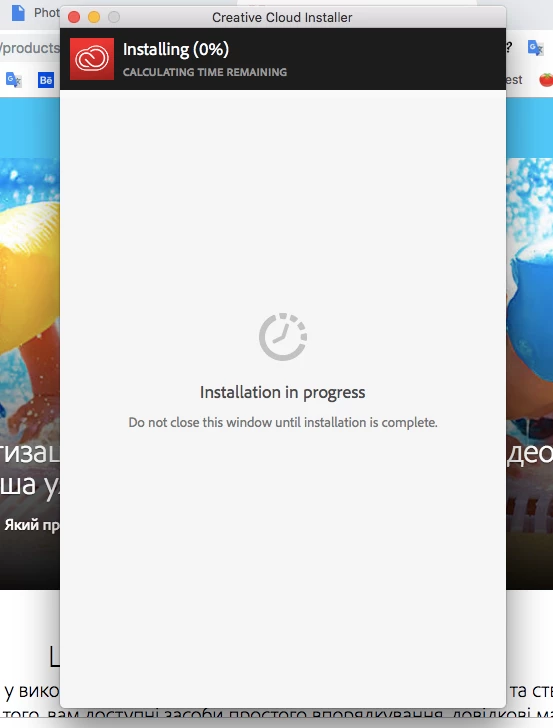
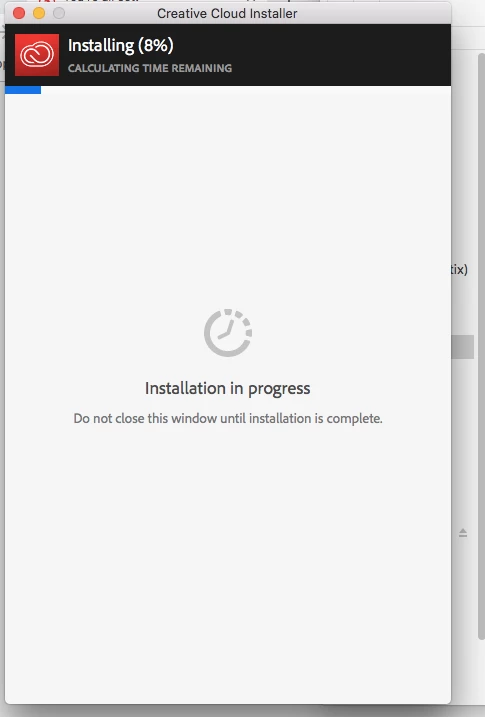
HELP PLEASE istallation stop by 0% and do not go

  • November 4, 2018
  • 1 reply
  • 226 views

My macOS Hight Sierra - 10.13.6

I'm trying to download Creative cloud and Photoshop

When I install the installation stop by 0% or 8% or 21% and do not go

I waited for 2 hours, but it doesn't go

I tried to remove everything from Adobe - not working

I tried to create a new user on the mac -  not working

I tried other emails - it does not work

Help me!
I can not solve the problem for 10 hours!
This topic has been closed for replies.
Correct answer kglad

if you have access to another internet connection, try it to install your cc app and programs.

alternatively you could try a direct download of the cc 2019 programs from prodesigntools.com:

note: newer os'es (especially mac os'es) are not compatible with older programs (especially adobe's).  this may help you start your installation, https://helpx.adobe.com/x-productkb/global/macos-high-sierra-compatibility.html that said, you can download the installation files using the below link.

Single user licensee downloadable installation files available:


Updates

  • Download and installation help for Adobe links

  • Download and installation help for Prodesigntools links are listed on most linked pages.  They are critical; especially steps 1, 2 and 3 which also apply to eLearning Sute 2.5.  If you click a link that does not have those steps listed, open a second window using the Lightroom 3 link to see those 'Important Instructions'.

And a big thank you to Jim @ Prodesigntools for helping me with these links!

1 reply

kglad
Community Expert
kgladCommunity ExpertCorrect answer
Community Expert
November 5, 2018

if you have access to another internet connection, try it to install your cc app and programs.

alternatively you could try a direct download of the cc 2019 programs from prodesigntools.com:

note: newer os'es (especially mac os'es) are not compatible with older programs (especially adobe's).  this may help you start your installation, https://helpx.adobe.com/x-productkb/global/macos-high-sierra-compatibility.html that said, you can download the installation files using the below link.

Single user licensee downloadable installation files available:


Updates

  • Download and installation help for Adobe links

  • Download and installation help for Prodesigntools links are listed on most linked pages.  They are critical; especially steps 1, 2 and 3 which also apply to eLearning Sute 2.5.  If you click a link that does not have those steps listed, open a second window using the Lightroom 3 link to see those 'Important Instructions'.

And a big thank you to Jim @ Prodesigntools for helping me with these links!