


auniquew
Participant
June 19, 2026
Question

Hi community peoples, i wanna i ask why my creative cloud get crash like this? i even install and uninstall it couple times and change the network connection also but still
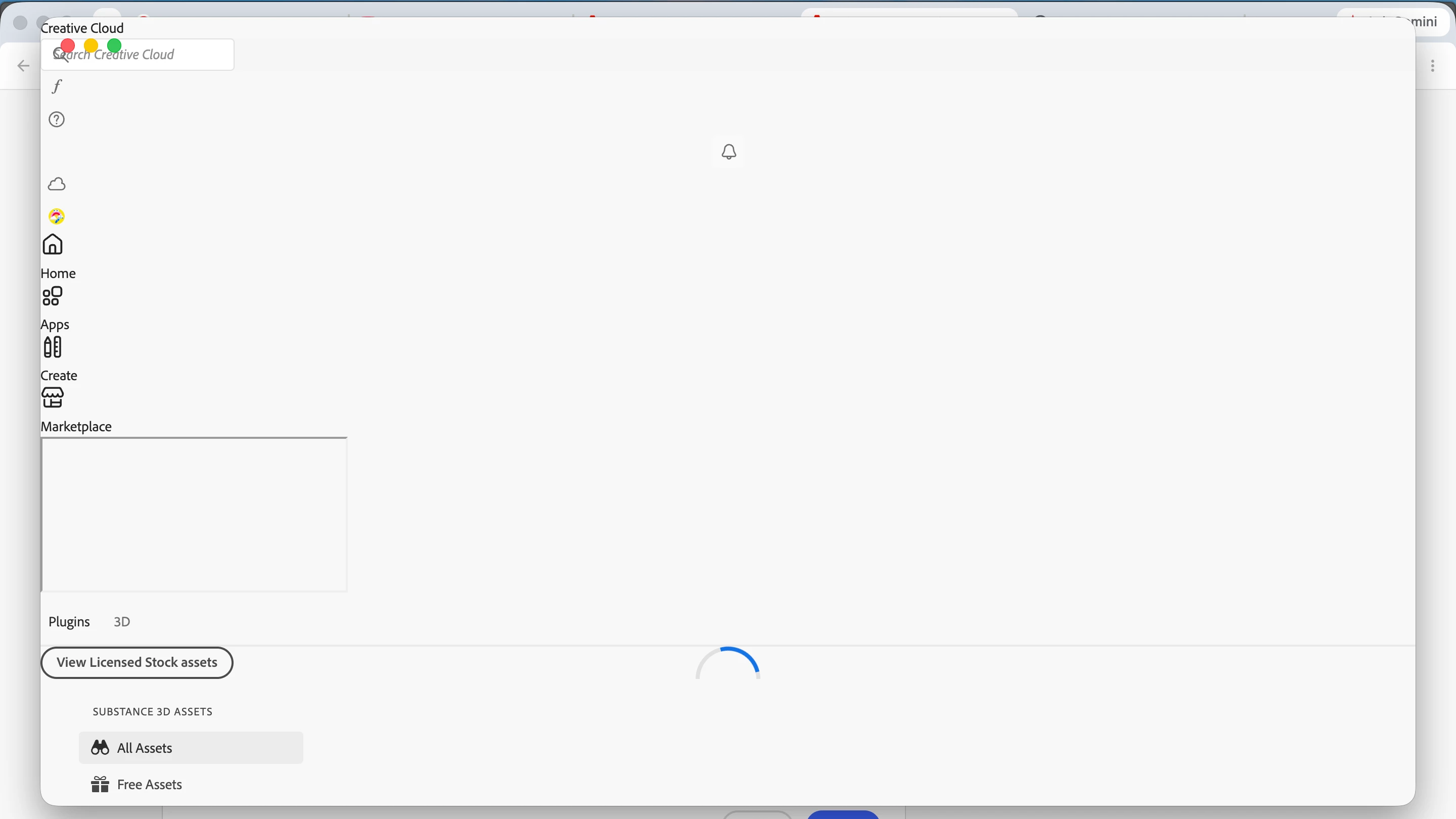

  • June 19, 2026
  • 2 replies
  • 43 views


    2 replies

    Community Expert
    June 27, 2026

    First try a  reset of the CC app:by following the steps below.

    Make sure it's in the foreground, then press:

    Win: Ctrl + Alt + R

    Mac: Cmd + Opt + R

    If that fails, try to repair https://helpx.adobe.com/download-install/kb/creative-cloud-install-stuck.html


    See also here: Blank white screen at sign-in | Adobe Creative Cloud Packager


    Try to rename the opm.db file.

    1. Close the Creative Cloud application if it's running.
    2. Navigate to the OOBE folder.
      Windows: [System drive]:\Users\[username]\AppData\Local\Adobe\OOBE
      Mac OS: /User/<username>/Library/Application Support/Adobe/OOBE folder
    3. Rename the opm.db file to opm_old.db
    4. Launch Creative Cloud
    My System: Intel i7-8700K - 64GB RAM - NVidia Geforce RTX 3060 - Windows 11 Pro 25H2 -- LR-Classic 15 - Photoshop 27 - Nik Collection 9 - PureRAW 6 - Topaz Photo AI
    Jeff_A_Wright
    Community Manager
    Community Manager
    June 19, 2026

    Thank you for posting, Auniquew.


    I can confirm your new individual Creative Cloud subscription is active. If you are trying to use the subscription on a device or network managed by your school, they may have blocked access for individual subscribers. This is why the Creative Cloud Desktop app is failing to load, Auniquew.


    I recommend you contact your school's Creative Cloud plan administrator for help. They can help you sign up for their plan and ensure you can access the service properly. Most schools also offer a greater discount than buying a subscription directly from Adobe, Auniquew.


    If you are running your new discounted subscription on a computer and network that you personally own and manage, Auniquew, then see https://adobe.ly/4xCVefZ for several solutions. These solutions will not be successful if the device or network is managed by your school, Auniquew.


    Please update this public discussion thread if you have any additional questions, Auniquew. ^JW