Participant
March 25, 2016
Answered

How can I open apps and test out the free trial?

  • March 25, 2016
  • 2 replies
  • 416 views

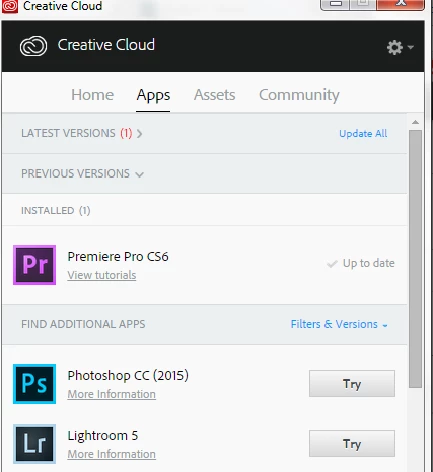
I've been trying to open it since last night, I really want to try Premiere Pro. But there's no open button? I can't click anything.
This topic has been closed for replies.
Correct answer Ankit Chillar

Hicoldcities‌,

Please refer to following link to launch the application from installed location : Launch Adobe Creative Cloud apps

Thanks,

Ankit

2 replies

Ankit Chillar
Adobe Employee
Ankit ChillarCorrect answer
Adobe Employee
March 25, 2016

Hicoldcities‌,

Please refer to following link to launch the application from installed location : Launch Adobe Creative Cloud apps

Thanks,

Ankit

Ned Murphy
Legend
March 25, 2016

Based on the image you show, I could be wrong, but it looks like maybe your machine does not meet the requirements for using Premiere Pro CC, and maybe you have CS6 already installed from some earlier purchase.  If that is not the case, why are you choosing to install the CS6 version instead of the CC version?

If you want to try CS6 then you can do that without the need for the CC interface... You can also download the trial version of the software thru the page linked below.

Be sure to follow the steps outlined in the Note: Very Important Instructions section on the download pages at this site and have cookies enabled in your browser or else the download will not work properly.

CS6: http://prodesigntools.com/adobe-cs6-direct-download-links.html