


Participant
February 12, 2025
Question

How Change Language 100% correctly?

  • February 12, 2025
  • 2 replies
  • 583 views

I changed the language from italian to english, changing the: it_IT content into this:after_effects_it_IT.dat.old


This is the Path  C:\Program Files\Adobe\Adobe After Effects 2025\Support Files\Dictionaries 

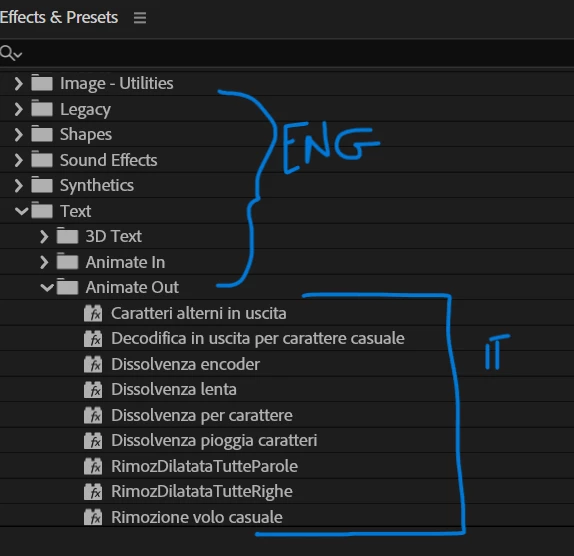
Problem is, it looks fine until I open the effects. Main effects folders are all in English BUT the actual effects are in Italian. 

Is it just a bug? 

Glad if someone can help me out. 

Thanks a lot in advance!
2 replies

Nancy OShea
Community Expert
Community Expert
February 12, 2025

Creative Cloud Desktop App > Preferences (your Avatar)

Apps > Default Install Language. 

See screenshot.


Nancy O'Shea— Product User & Community Expert
Kevin-Monahan
Community Manager
Community Manager
February 12, 2025

Hi @17738842,

Have you tried installing After Effects in Italian from the Creative Cloud desktop app? If you have not, please try that. Let us know. I hope we can help.


Thanks,
Kevin


Kevin Monahan - Sr. Community & Engagement Strategist – Pro Video and Audio
kglad
Community Expert
Community Expert
February 12, 2025

ie, use the cc desktop app to uninstall the incorrect version, change the install language in the cc desktop app preferences, then install.