How do I upgrade Flash manually?
I am getting periodic panels from "Adobe Flash Player Install Manager" telling me that there is a Flash update, but so far I haven't been able to puzzle out whether this is
a) a real upgrade from adobe rather than a trojan horse from God-only-knows-who
b) if it is a real upgrade, how to get it and install it.
This is what the panel looks like:
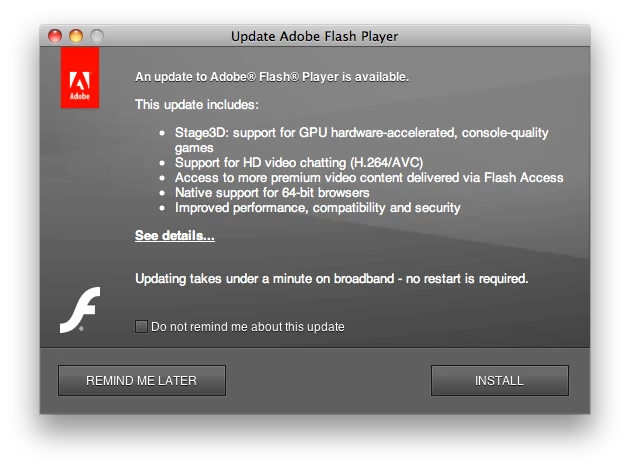
Pushing the "See details..." link takes me to the basically useless page http://www.adobe.com/support/documentation/en/flashplayer/releasenotes.html#p10 which anyone can write a link to, and gives no clue as the what would actually be downloaded and installed and where it would come from.
If I have a url that is at adobe.com and has a file that I can download and install -- and I can see for myself that it is COMING from adobe.com -- then I will download and install it. But I sure as hell am not going to push the "INSTALL" button and put in an Administrator username/password on some random panel of unknown origin that just pops up on my computer!
 AdChoices