Hi,
Please check the FAQ section of this link : Download and install Adobe Creative Cloud apps
NOTE: We would suggest you to install application on the primary drive however you can configure the installation destination from within the Creative Cloud app preferences.Please be aware that there will still be shared resources stored to your primary drive. In addition during the install process temporary files will also be created on your primary drive.Creative Cloud desktop app can only be installed in the primary drive the location for this app cannot be changed.
**** If you have already installed Photoshop you'll have to uninstall it and then make the location changes in Creative Cloud Desktop app after that reboot the machine and now install Photoshop Again and it should install on you new location selected.
- Click on the settings wheel icon on the Top right corner of Creative Cloud window and go to Preferences to change the install location:
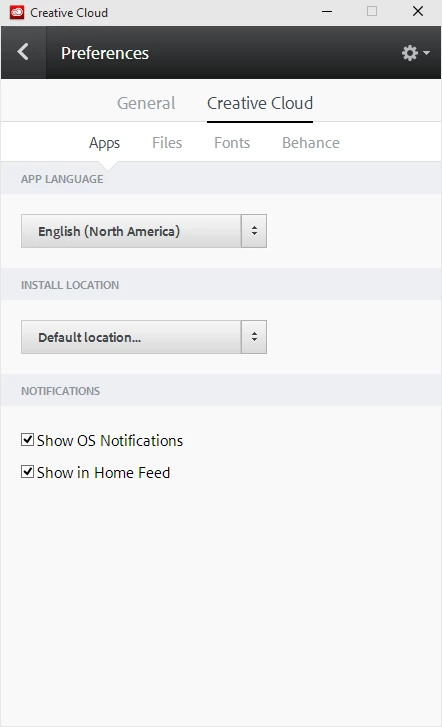
Let us know if this helps.
Regards,
Bani

 AdChoices