
MulliganGolf
Participating Frequently
August 15, 2013
Question

How does one report a CC bug?
  • August 15, 2013
  • 1 reply
  • 1303 views

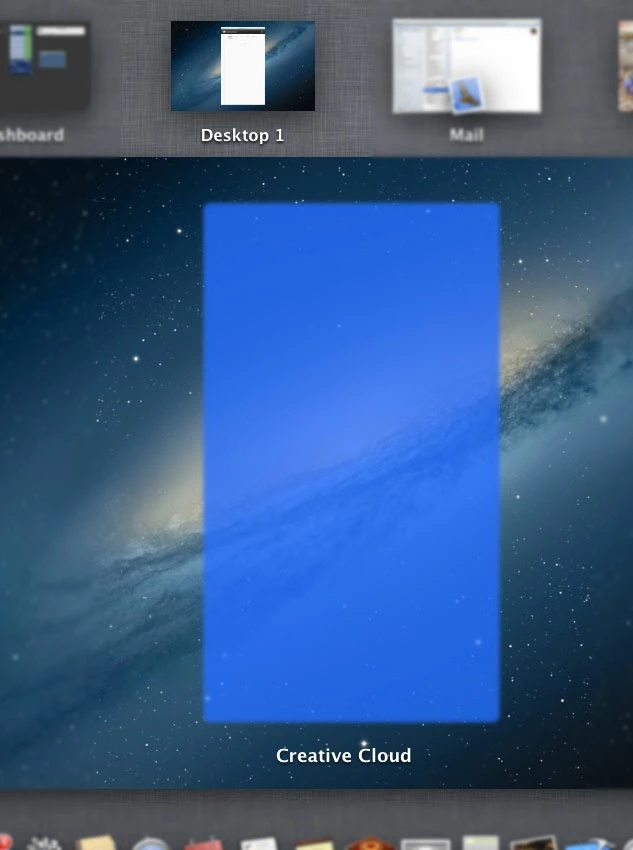
With no Creative Cloud window visible, switching to Mission Control does this... window image in thumbnail, blue window indicator in desktop image, Creative Cloud title.   None of this junk should be visible.  I'll send the image to Adobe if they care.

This topic has been closed for replies.

1 reply

Jeffrey_A_Wright
Legend
August 16, 2013

MulliganGold it appears you have Creative Cloud in Window mode is that correct?  Also which operating system are you using?  Have you tried rebooting or logging out and back in to see if you face the same difficulty?

I tried reproducing the issue under Mac OS 10.8.4 but I was unable too.

MulliganGolf
Participating Frequently
August 16, 2013

No.  I have no Creative Cloud window on the screen - just the CC icon in the menu bar - CC running.  I'm using 10.8.4 also.  When I switch to Mission Control (as my screen shot shows), the "CC window", which isn't displayed on the desktop is shown as a blue shadow and there's a "Creative Cloud" title shown.   NOTHING should be visible from CC when in Mission Control UNLESS the CC window is being displayed (as in your screenshot), then the CC window should appear in the desktop thumbnail as for any application.

It appears that the CC window represented by the menubar icon is not properly "hidden" (usually by manipulating its frame to be out-of-frame on the desktop) so OS X doesn't think it's all or partly visible.  Just tagging the window "hidden" isn't enough - it's probably a Mt. Lion bug, but it's also an Adobe bug to not move the hidden window to an off-screen position.

Logging in or out, etc. makes no difference.  The appearance of the blue rectangle is variable - sometimes there, sometimes not - but the extraneous window title is always present.

Jeffrey_A_Wright
Legend
August 16, 2013

I am sorry MulliganGolf but even when switching to having the Creative Cloud application pinned to the menu bar I am not seeing the behavior you are describing.

Have you had any other unexpected behavior besides the Creative Cloud application not being visible in Mission Control? 

Please be aware that even pinned to the menu bar the Creative Cloud application is still an application so it will not be hidden if the window is active and you bring up Mission Control.