


Participant
October 27, 2022
Answered

How to install Photoshop as part of Creative Cloud Photography plan

  • October 27, 2022
  • 1 reply
  • 299 views

Hi all,

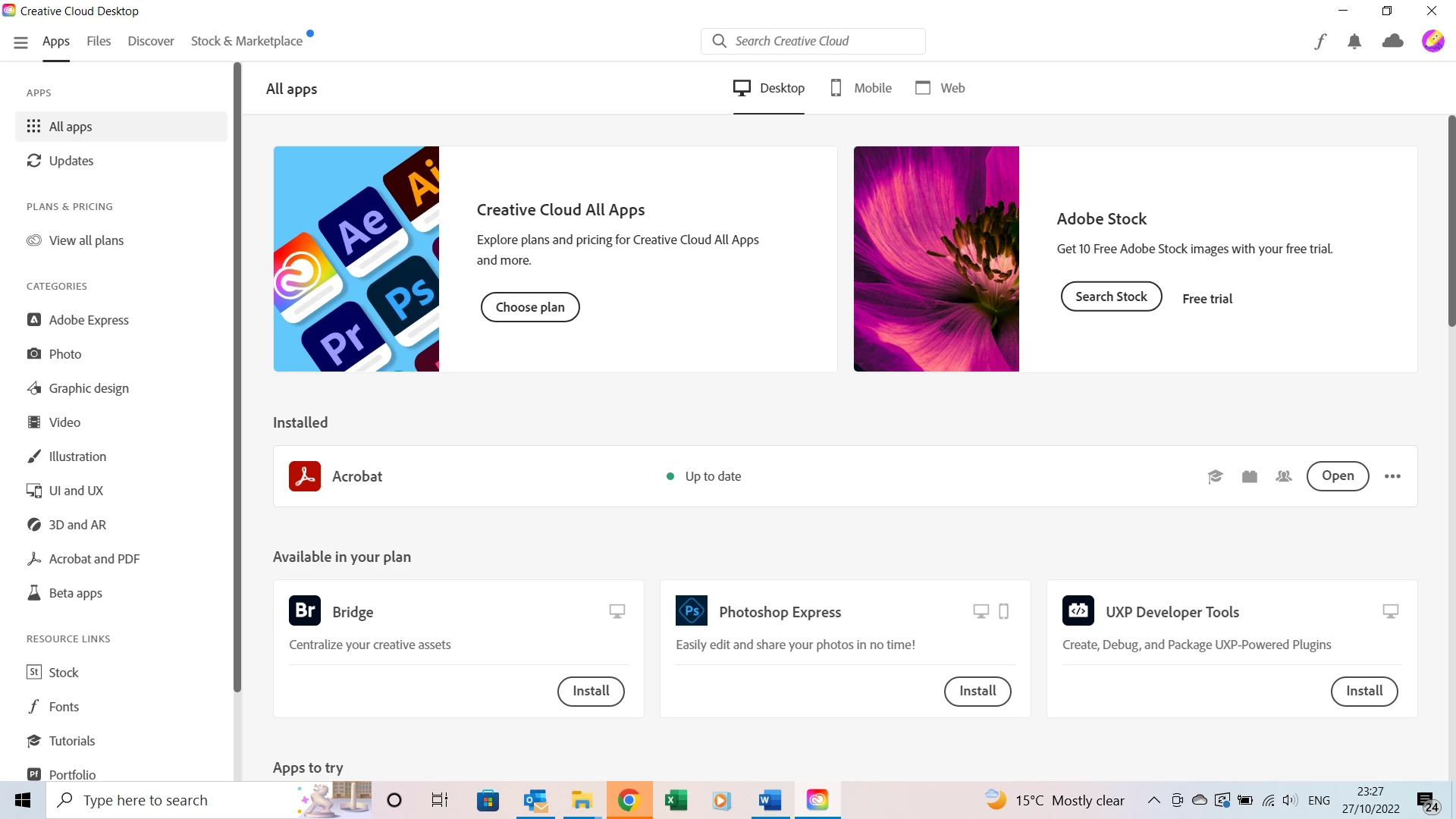
Apologies if the answer is plain to see but I have just subscribed to Creative Cloud Photography plan for £9.98 per month which includes Lightroom and Photoshop. I never used Creative cloud desktop before and might be missing something but it says that my plan includes Bridge, Photoshop Express and UXP developer tools. Where can I find my Photoshop and Lightroom? |There are more apps if I scroll down but the links are to Try and Buy. 

Thank you for your help in advance
 

This topic has been closed for replies.
Correct answer Jeffrey_A_Wright

Ivan, you can find information on how to download and install Photoshop and Lightroom CC at https://helpx.adobe.com/creative-cloud/help/download-install-app.html


Please make sure to sign in under the e-mail address that you used to purchase your membership. I do not see an active membership under the e-mail address you used to post to this public discussion forum.


If you continue to encounter problems utilizing your recently purchased Photography plan, then see https://helpx.adobe.com/manage-account/kb/stop-creative-cloud-trial-mode-after-purchase.html 

1 reply

Jeffrey_A_Wright
Community Manager
Jeffrey_A_WrightCommunity ManagerCorrect answer
Community Manager
October 27, 2022

Ivan, you can find information on how to download and install Photoshop and Lightroom CC at https://helpx.adobe.com/creative-cloud/help/download-install-app.html


Please make sure to sign in under the e-mail address that you used to purchase your membership. I do not see an active membership under the e-mail address you used to post to this public discussion forum.


If you continue to encounter problems utilizing your recently purchased Photography plan, then see https://helpx.adobe.com/manage-account/kb/stop-creative-cloud-trial-mode-after-purchase.html 

Participant
October 27, 2022

Hi Jeff,

Thank you for prompt reply. I was indeed logged in to Creative Cloud under a different email address which was created by Google automatically to protect my identity. Once I logged off and logged back in with my Adobe ID I can see the links to install my apps. 

Should I still encounter the problem I'll ask again (unless can find an answer in one of the documents you posted)

Have a lovely evening 🙂

Jeffrey_A_Wright
Community Manager
Community Manager
October 27, 2022

Thanks for the update, Ivan!
