babalumielino
Participant
May 8, 2018
Answered

How to roll back update?

  • May 8, 2018
  • 1 reply
  • 26629 views

The April 2018 update of Premiere Pro to version 12.1 has caused problems in a project of mine.  I would like to roll back to the previous version of Premiere, but I noticed in my Creative Cloud that I no longer have the option to install previous versions of Premiere Pro or any of the other apps.  

Is it still possible to install a previous version of Premiere Pro and if so, how?

thanks

This topic has been closed for replies.
Correct answer babalumielino

Account reverting back to free membership may have something to do with it! You might need to get in touch with CS for that one

Additionally, I wanted to make sure you had some screenshots to help you once you get the account situation figured out!

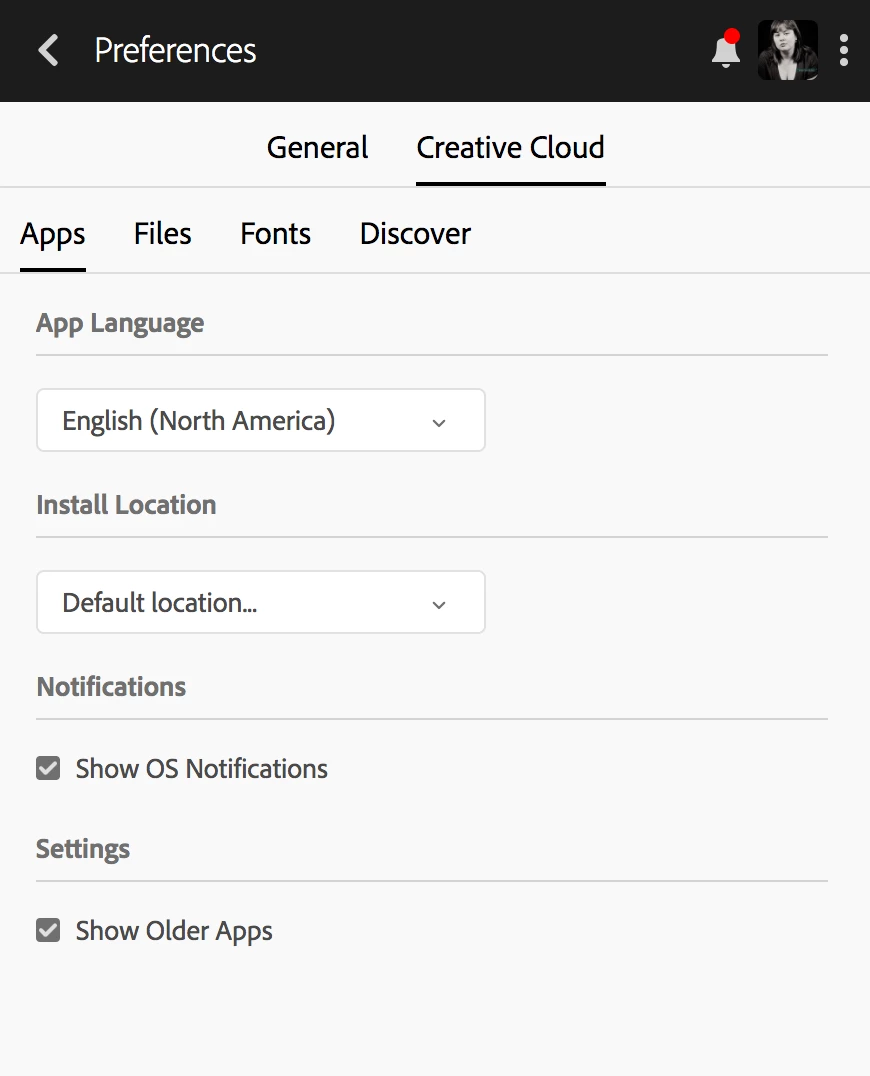
Here is the preferences area in your CC desktop app where you can tick show older apps:

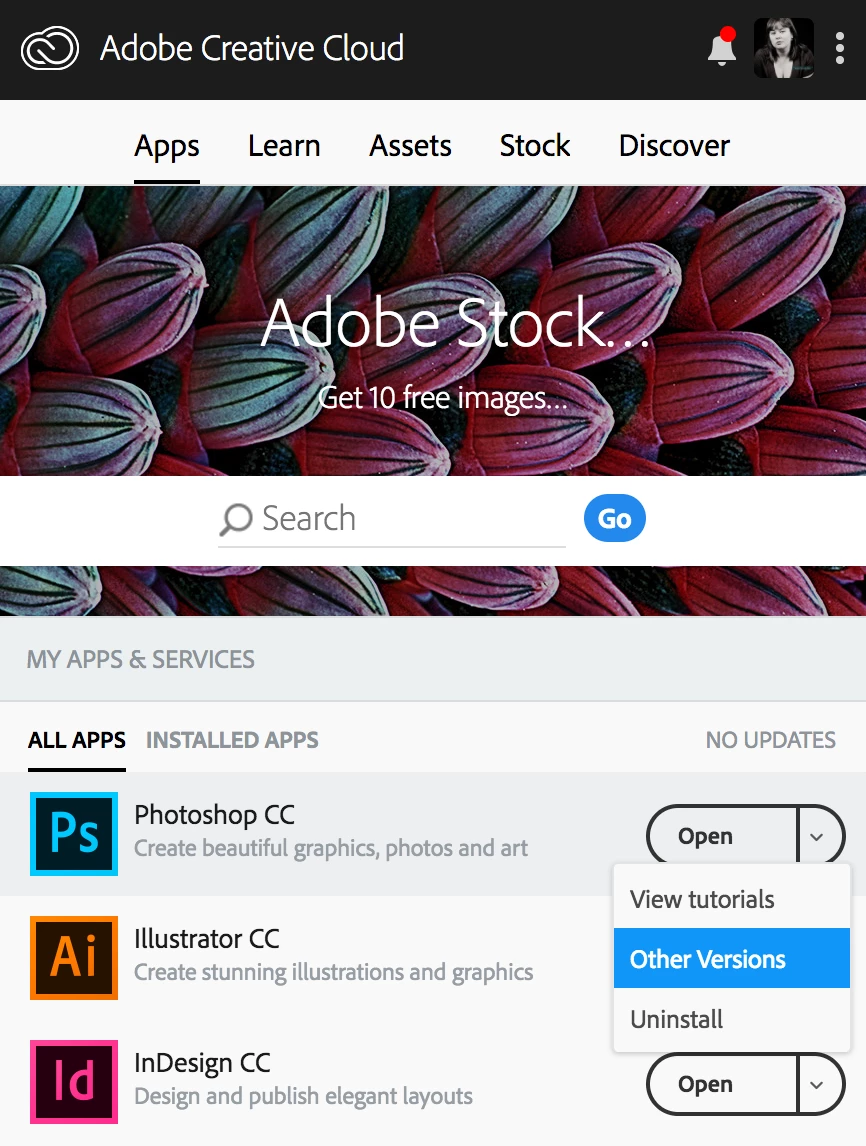
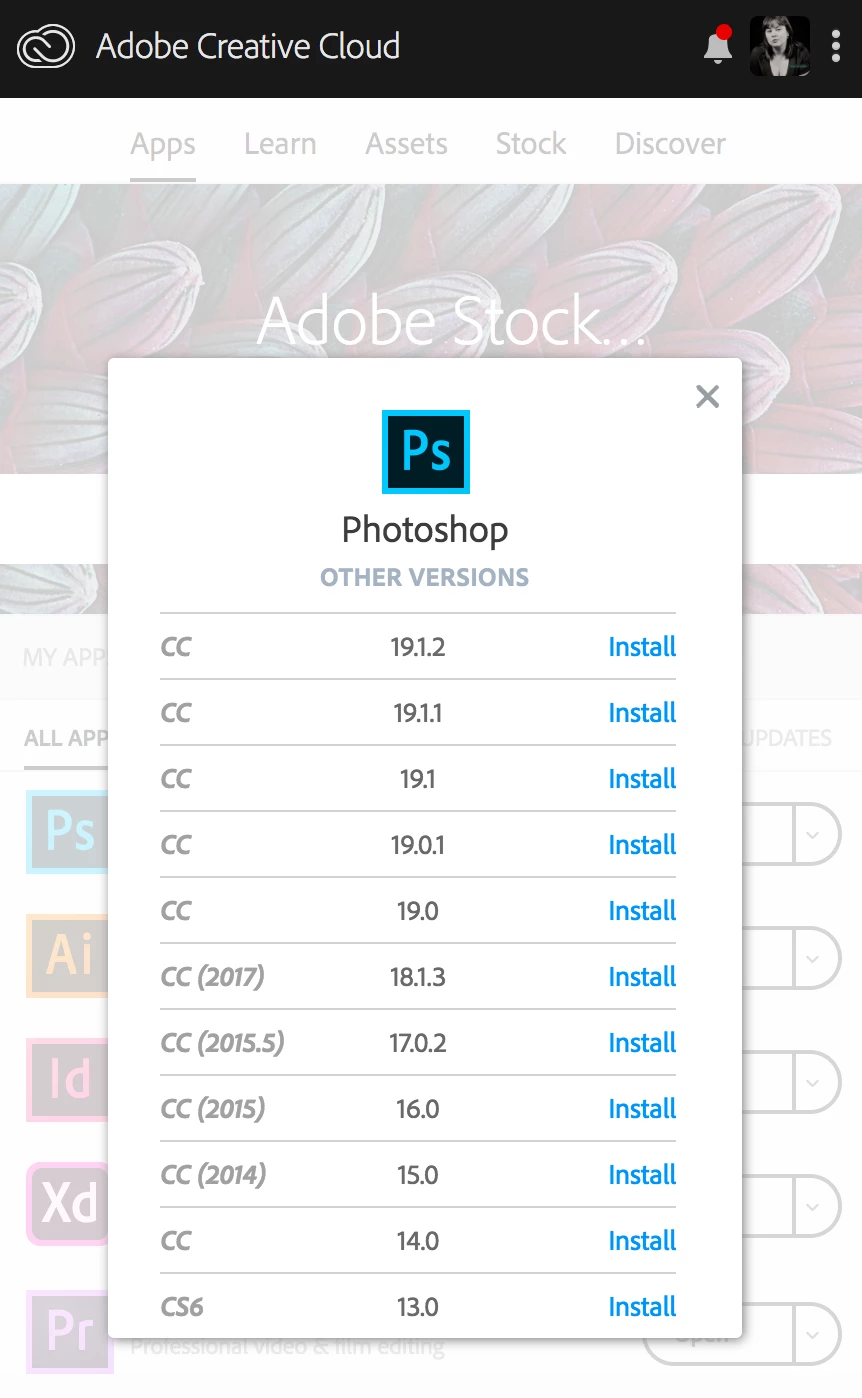
Once you're back on the main screen for the CC Desktop App, click on the little tick next to the word "Open" for your installed programs and that will allow you to select "Other Versions" and then install them!

Hope that helps!


Yes, the fact that my account reverted back to a free membership was the source of the problem.  Now that I've subscribed again the other versions are available again.

1 reply

kglad
Community Expert
Community Expert
May 8, 2018

open your cc preferences > cc apps > tick show older apps.

uninstall the current version Uninstall or remove Creative Cloud apps

install the older desired version (that's offered).

babalumielino
Participant
May 10, 2018

Strangely I don't have that option (show older apps) in my cc preferences.  I don't know why this is since I remember I did have that option some months ago.  Although I just checked my account and discovered that for some reason I have been reverted to the free membership.  Perhaps this has something to do with it.

ProDesignTools
Community Expert
Community Expert
May 10, 2018

That option still shows here... On the three-dots-menu at the upper right of the CC Desktop app, select "Preferences..." > "Creative Cloud" tab > "Show Older Apps."

Also see if this works:

Install previous version of your Creative Cloud app

Or alternatively, you may be able to use this approach instead:

Creative Cloud Version Control: How to Restore or Revert CC Apps

Hope that helps.