

Participant
November 5, 2023
Question

how to uninstall adobe creative cloud from login items on MacOS 14.1?

  • November 5, 2023
  • 1 reply
  • 1455 views

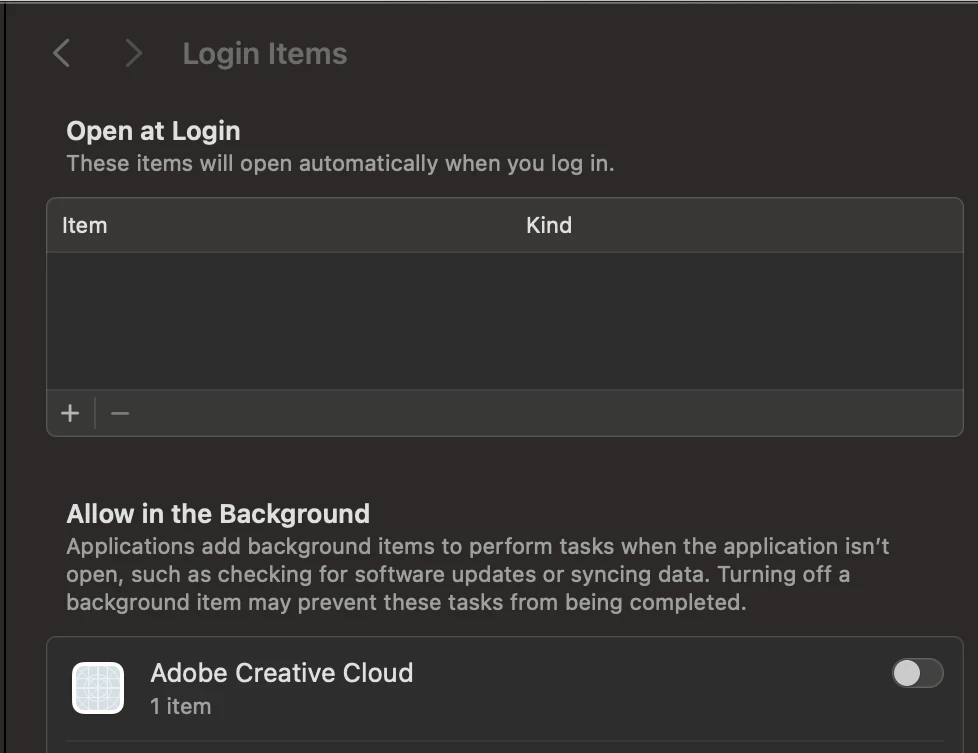
i tried anything with adobe uninstalling apps, and deleting frop files and still a see adobe creative cloud on login items, someone know where deleting it?

This topic has been closed for replies.

1 reply

kglad
Community Expert
Community Expert
November 5, 2023

you can change your cc desktop preferences.

Participant
November 5, 2023

how?

Community Expert
November 5, 2023

Are you trying to remove all creative cloud tools from your computer? If so, if you use the CC cleaner tool https://helpx.adobe.com/creative-cloud/kb/cc-cleaner-tool-installation-problems.html and that should all remaining pieces of the Adobe software.


If you are trying to keep your creative cloud, there are some options in the Preferences of the CC app. Just click on your user icon in the top right and preferences. There you can turn off Auto-Update under apps, Pause Syncing under syncing, disable all notifications, and disable all Adobe fonts. Those are all background processes related to your Mac user account that the OS is seeing.


With that said, you have already told the OS to disable all background services attached to your user per your screenshot so the OS should already be blocked those services, but you can double down on this if you wish.