
Participant
November 27, 2019
Question

I am unable to install Photoshop

  • November 27, 2019
  • 1 reply
  • 320 views

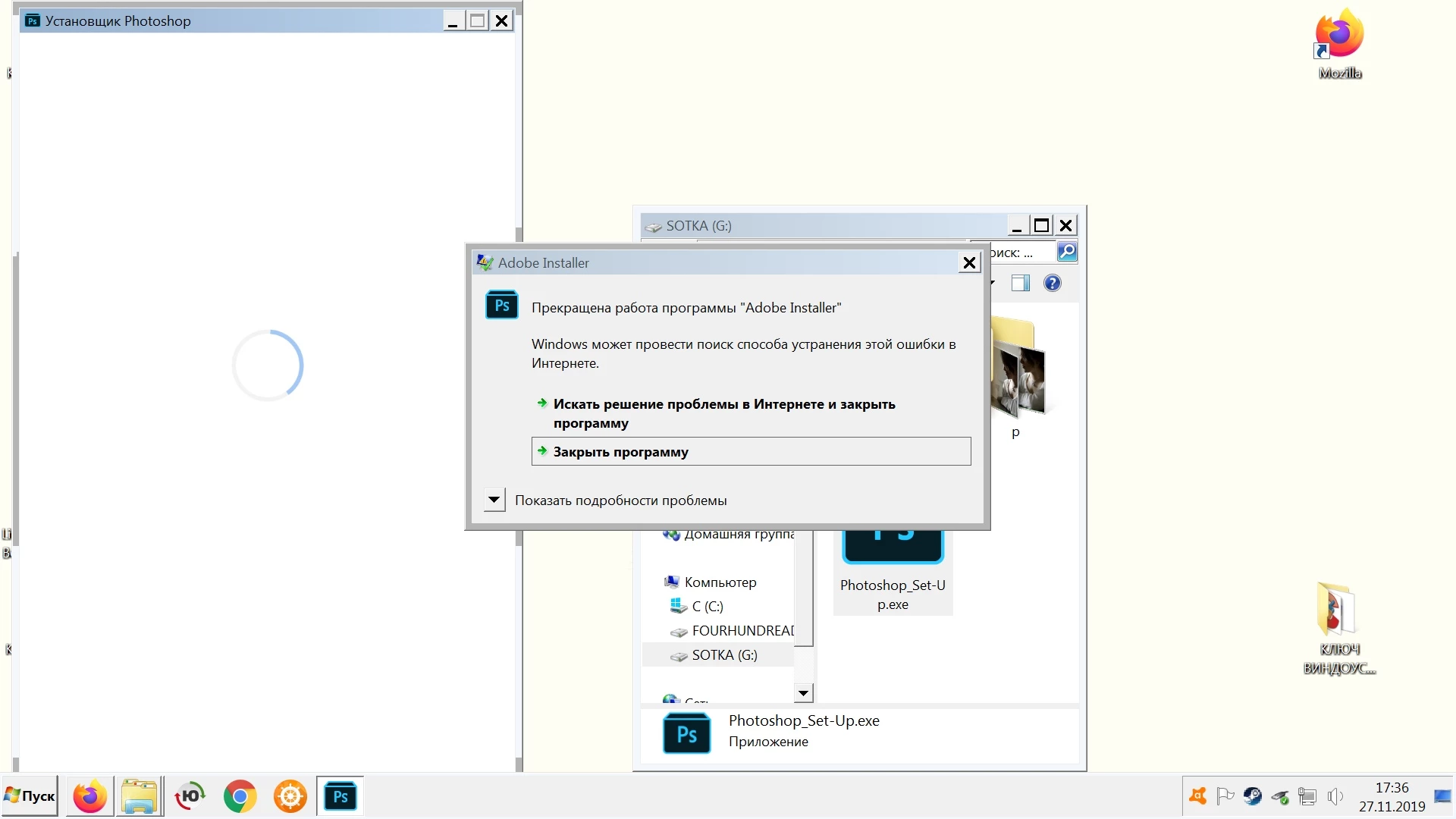
Just after downloading I decided to install Photoshop but this popup appeared. What should I do?
>the program "Abobe Installer" stopped working
>Windows can search the Internet for a way to fix this error
>Search for a solution to the problem on the Internet and close the program
or
>close the program
This topic has been closed for replies.

1 reply

Jeffrey_A_Wright
Community Manager
Community Manager
November 27, 2019

Alex, what version of Windows are you attempting to install Photoshop CC on?  Are you installing on a computer and network that you own and maintain?

Participant
November 27, 2019

I'm using Windows 7 premium
Yes, computer is mine

Jeffrey_A_Wright
Community Manager
Community Manager
November 27, 2019

Ok, that partly explains the errors you are facing Alex.  Please make sure there are no pending updates that are available for Windows 7.  I would also recommend you upgrade to Windows 10 so that you can take full advantage of the applications and services included with your membership.  For more information see https://helpx.adobe.com/creative-cloud/system-requirements.html.


One of the advantages of upgrading to Windows 10 is that you will be able to use version 5.0 and later of the Creative Cloud desktop app.  There have been many download and install related improvements that have been implemented in this version.