mattyth69268021
Participant
November 2, 2015
Answered

I bought PSE 14 and can't validate the serial number, please help!

  • November 2, 2015
  • 2 replies
  • 323 views

Dear Adobe,

I bought PSE14 online, payed it by credit card.

In my Account I received a download for PSE 14, started it, Downloading was no problem, with start up i get the screen to validate my received serial number.

When i want to validate I get the message to connect to internet to validate, internet is available!!
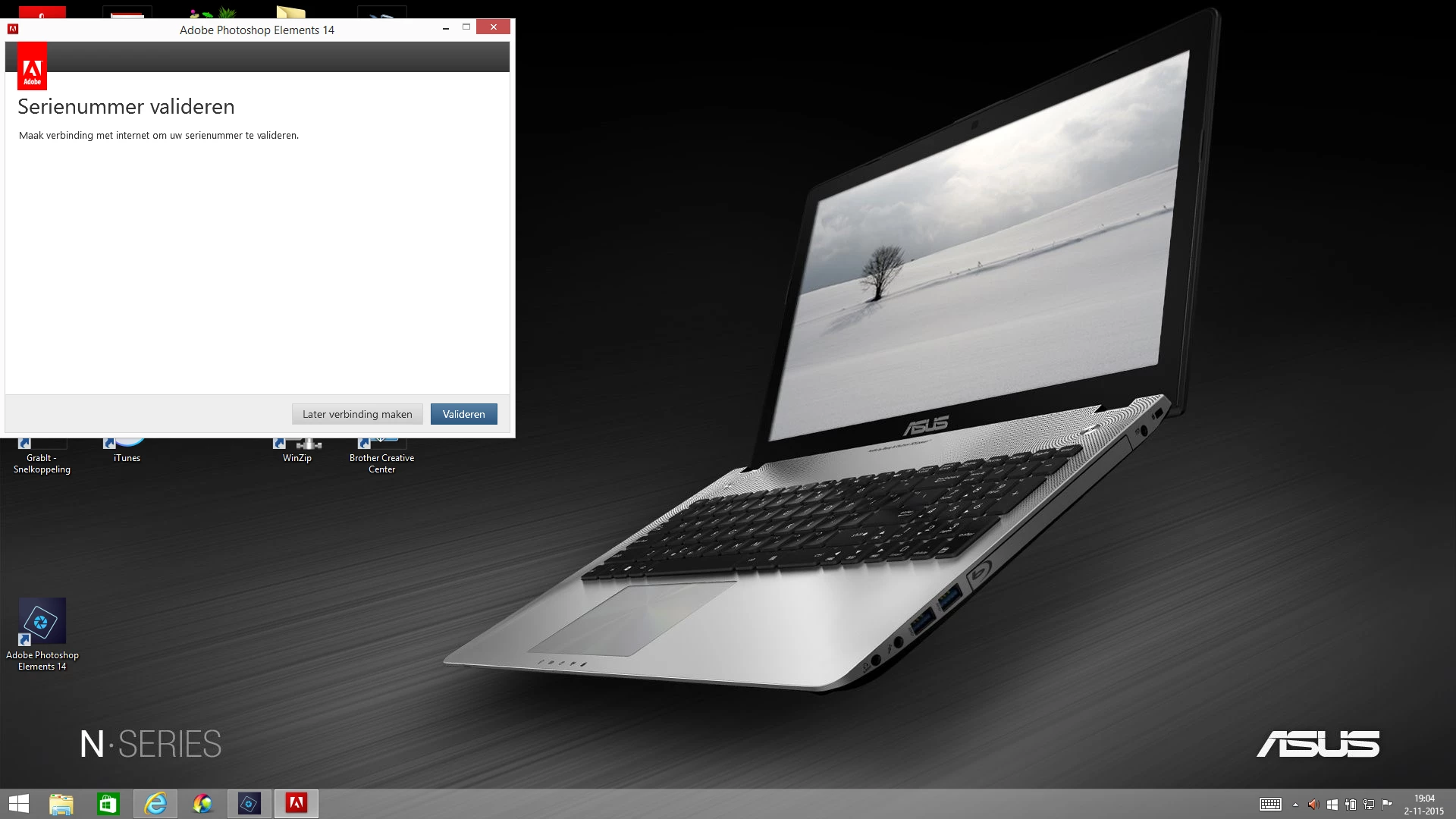
This is the message, can anybody help me to solve this problem?

mvgr, Matty.

    This topic has been closed for replies.
    Correct answer mattyth69268021

    wrong key, I contacted the chat, they connected me with technical support, they
    had all the time, checked several settings,the problem was the host file, the file had blocked files, after cleaning this file the validating went without a problem.

    Thank you chat!!!!!

    Also John Smith, the right answer was already in your reply, thank you for that!!

    Problem solved!!

    Best regards, M.

    2 replies

    mattyth69268021
    Participant
    November 3, 2015

    I switched off my Windows Firewall and my anti virus, still doesn"t work, at this moment I have also PSE14 in a trail period,, does this matter?

    I am thinking of removing  both PSE 14 and then install again, could this be a solution?

    mattyth69268021
    Participant
    November 7, 2015

    Before I wanted to remove PSE 14, contact

    mattyth69268021
    mattyth69268021AuthorCorrect answer
    Participant
    November 7, 2015

    wrong key, I contacted the chat, they connected me with technical support, they
    had all the time, checked several settings,the problem was the host file, the file had blocked files, after cleaning this file the validating went without a problem.

    Thank you chat!!!!!

    Also John Smith, the right answer was already in your reply, thank you for that!!

    Problem solved!!

    Best regards, M.

    John T Smith
    Community Expert
    Community Expert
    November 2, 2015

    Please read https://forums.adobe.com/thread/1499014

    -try some steps such as changing browsers and turning off your firewall

    -also flush your browser cache so you are starting with a fresh browser

    -check hosts file for blocked entries https://forums.adobe.com/thread/1912777