

Participant
April 14, 2025
Question

i have a license key bought. i put on my account, but it says to buy the software

  • April 14, 2025
  • 1 reply
  • 1189 views


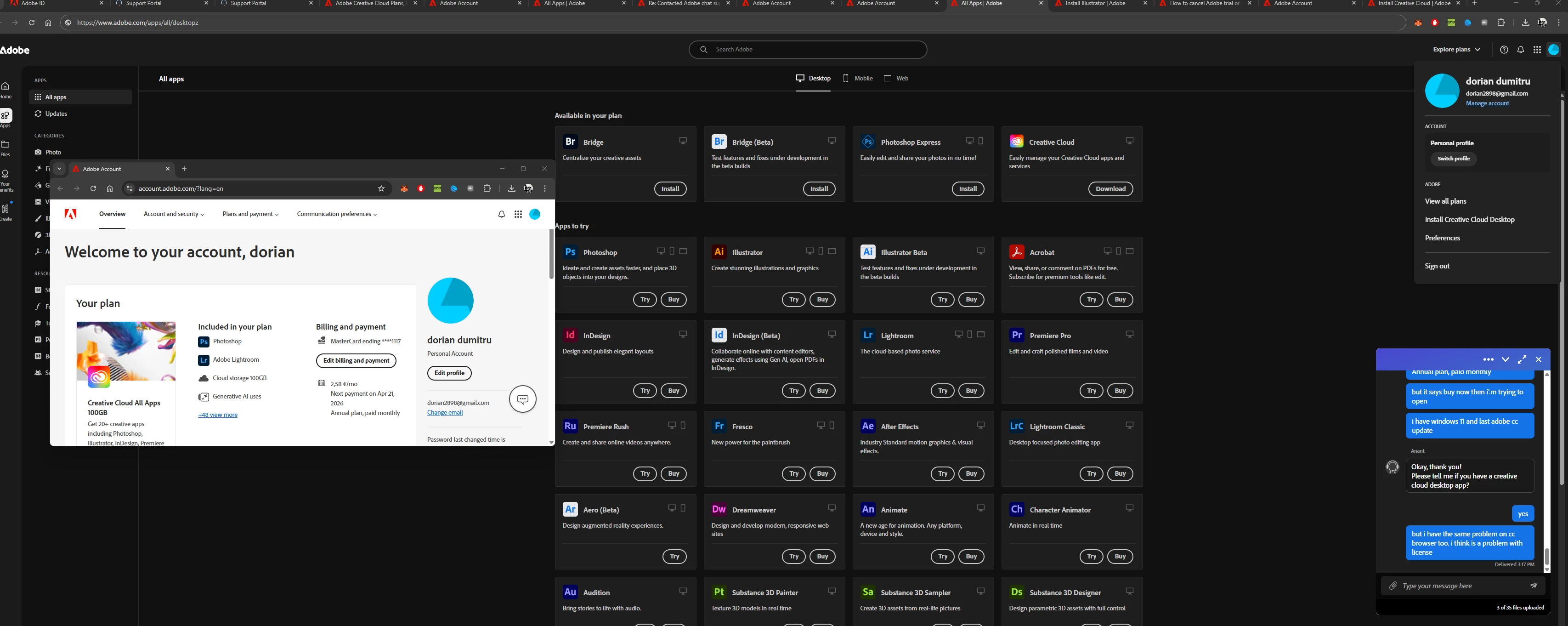
i have the license on account. on cc says Next payment on Apr 21, 2026 Annual plan, paid monthly

You said

but it says buy now when i'm trying to open


1 reply

Community Manager
April 14, 2025

Hi @dorian2898,


Thank you for reaching out. Based on your query, it appears that you are encountering a prompt to purchase a plan when trying to access your Adobe subscription. Please confirm if this is the issue you need assistance with.

Upon reviewing your account, I can see that you have both an active Enterprise plan and an individual plan associated with the Adobe ID used to post this query. The Enterprise subscription is assigned to your business profile, while the individual plan is linked to your personal profile.

Please try the following steps:

  1. Sign out of the Adobe Creative Cloud desktop application.

  2. When signing back in, ensure that you select your business profile instead of the personal profile.

  3. Check if you still experience the same issue under the business profile.

If the issue persists under the business profile, we recommend following the troubleshooting steps outlined in this help article:
https://adobe.ly/3XYFa8d

Should the issue continue after completing those steps, please proceed with the additional steps provided in this article:
https://adobe.ly/3RPAxJS

You may also find this community discussion helpful, as it addresses a similar issue:
https://adobe.ly/4luupEH

We hope this helps resolve the issue. Please let us know if you need any further assistance.

Regards,
^AN
Participant
April 14, 2025

Hello,

Thank you, i have tried your steps but the issue still persists.

I spoke with more than 20 agents on chat, and i spoke with 4 people at the phone, they didn't find a solution for that. I don't know what to do

Community Manager
April 14, 2025

Hi @dorian2898,

Thank you for confirming that you've already tried the initial troubleshooting steps.

At this point, I recommend using the Creative Cloud Cleaner Tool, a utility designed for advanced users to clean up corrupted installations, fix problematic files, and resolve permission issues in registry keys. You can download it and follow the instructions from the link below:
https://adobe.ly/4jugVqz

Once you've run the tool, please restart your machine and try reinstalling the application.

Also, could you please confirm whether you've attempted to sign in using your business profile? If so, does the issue occur there as well? This will help us better isolate the issue.

Regards,
^AN
