gurtio
Participant
July 7, 2015
Answered

I have a serial number for photoshop 6, but my pc doesn't have a disk driver.

  • July 7, 2015
  • 2 replies
  • 769 views

I have the serial number but I don't know which download I am supposed to use.

On my other computer the Photoshop icon looked like an eye.

I was trying to find the right download, but everything I downloaded wasn't the right product.

I'd be happy if someone could show me the correct file.

Thank you!
This topic has been closed for replies.
Correct answer John Waller

Gur Aizenberg wrote:

On my other computer the Photoshop icon looked like an eye.

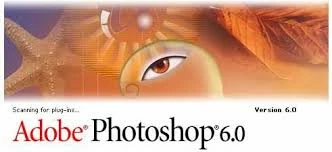
Is this the Photoshop you are looking for?

Splash screen:

Icon:

If so, it's a 15 year old version dating back to Sep 2000 and no downloads exist online.

2 replies

John Waller
Community Expert
John WallerCommunity ExpertCorrect answer
Community Expert
July 9, 2015

Gur Aizenberg wrote:

On my other computer the Photoshop icon looked like an eye.

Is this the Photoshop you are looking for?

Splash screen:

Icon:

If so, it's a 15 year old version dating back to Sep 2000 and no downloads exist online.

John T Smith
Community Expert
Community Expert
July 7, 2015
gurtio
gurtioAuthor
Participant
July 8, 2015

I found that already, my problem is that I'm not sure which one to install that would work with my serial number.

The one I have is Photoshop 6.

I know nothing about Photoshop, "Photoshop Elements", "Acrobat", etc.

Do you know which one I am supposed to install?

Thank you!

Pattie-F
Legend
July 9, 2015

Each of these version has an associated Photoshop download. Choose CS6 if that is what you have.

CS6 | CS5.5 | CS5 | CS4 | CS3

If you are using a version of Photoshop prior to the CS series, such as the old Photoshop 6, we do not have the downloads available for those.  They are so old they will not likely run on current operating systems.