
Participant
July 18, 2014
Answered

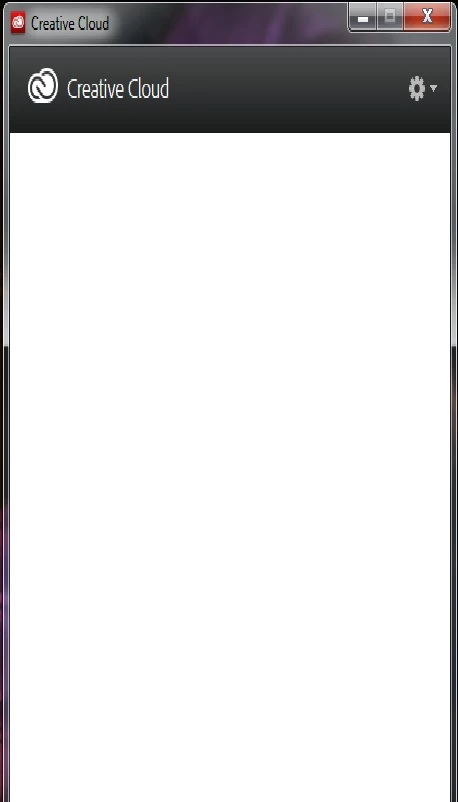
I installed the trial version of Creative Cloud and when I open it's blank. How can I sort this??

  • July 18, 2014
  • 1 reply
  • 643 views

I have tried a few times now to install the trail version of Creative Cloud to get the new PS2014 - but it's blank as below.  I'm on Windows 7 and this is the first time it's happened (have used this software on this PC before to install other trials)
This topic has been closed for replies.
Correct answer Ratandeep Arora

I followed the instructions and now Creative Cloud won't open at all!!

Anything else I can try??


Hi Fayet16,

You can follow the link: http://www.adobe.com/downloads/other-downloads.html and download Adobe Application Manager. It will update at the first launch as the required Creative Cloud desktop application.

Let me know if it do not work.

Thanks,

Ratandeep Arora

1 reply

Ratandeep Arora
Participating Frequently
July 18, 2014

Hi Fayet16,

Please follow the article: Black screen CC where this issue is already discussed.

Let us know for any further query.

Thanks,

Ratandeep Arora

fayet16Author
Participant
July 18, 2014

Thank you for the link but the instructions given on there don't help.  When I get into my folder I don't have AppData\Local\Adobe\OOBE so am unable to remove the file.

Is there anything else that can be done??

Ratandeep Arora
Participating Frequently
July 18, 2014

First you need to unhide you hidden files and folder and for that you can follow the article: Show hidden files - Windows Help. Once the files are set as "Show hidden files and folders" you will see the option App Data.

Let me know if it works or not.

Thanks,

Ratandeep Arora