Participant
February 16, 2016
Answered

I just bought the scansnap ix500 that comes with Adobe Acrobat DC. I am running it on a Mac. I wanted to download the Acrobat and then upgrade to Pro. But I can't seem to download Acrboat on my Mac. Ideas? I would like to just pay the upgrade f

  • February 16, 2016
  • 2 replies
  • 3063 views

how do I go about downloading the Adobe Acrobat DC onto my Mac.  I have a redemption code through my Fujitsu ScanSnap ix500 purchase.  Then I want to upgrade to Adobe Pro.
This topic has been closed for replies.
Correct answer Bani Verma

Hi Dana,

For a Mac machine you can get the Acrobat Pro DC only, the standard version is only for Windows you can check the difference between the two here: Plans and pricing: Compare versions | Adobe Acrobat DC

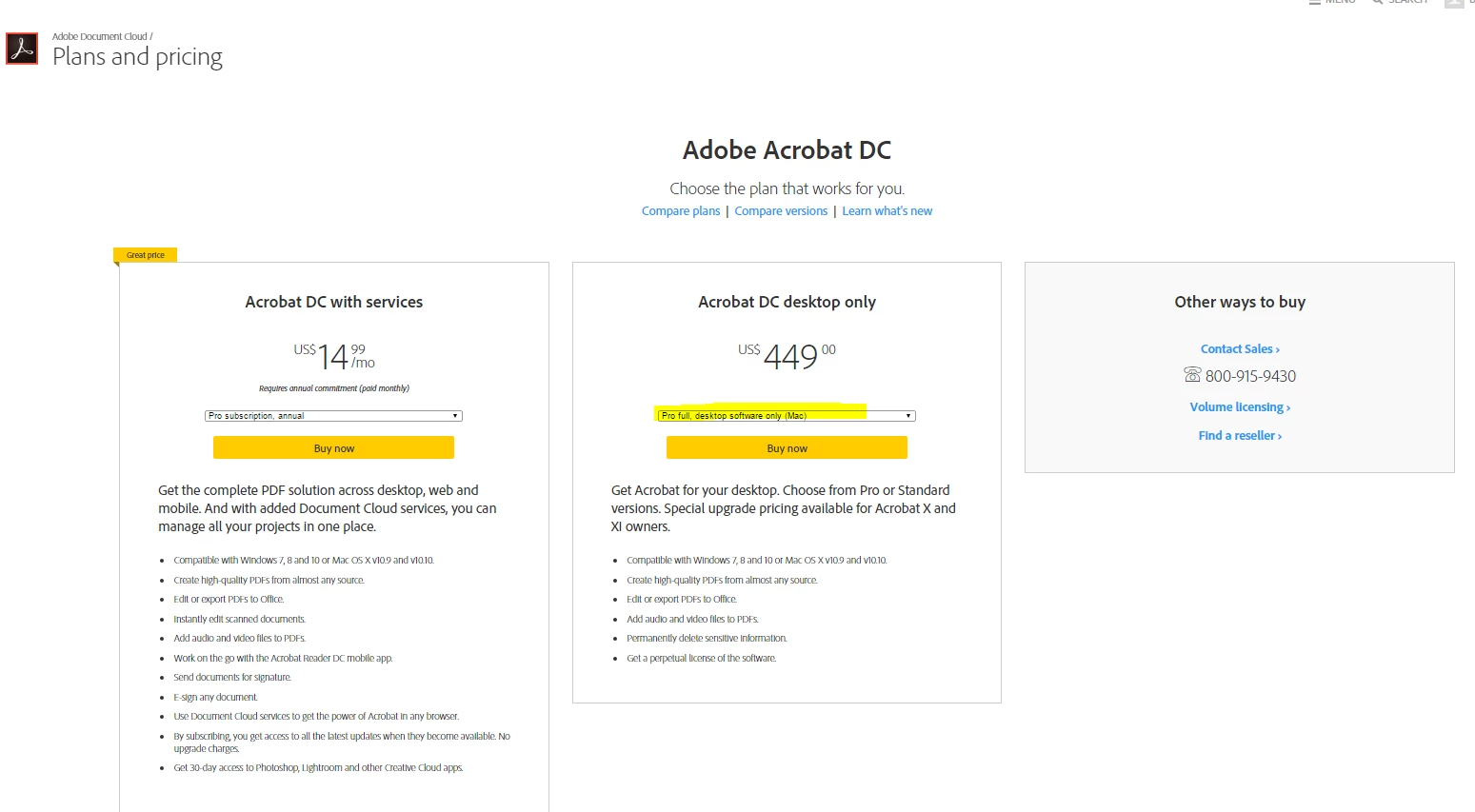
You can purchase Acrobat DC desktop only ( perpetual / standalone license ) from here : Plans and pricing | Adobe Acrobat DC

Click on the Drop down below Acrobat DC desktop only and select the MAC version.

Regards,

Bani Saini

2 replies

Bani Verma
Legend
February 16, 2016

Hi Dana,

In order to purchase an upgrade you need to have a previous full version of Adobe Acrobat purchased and it's serial number.

If you already have that then you can purchase Acrobat DC desktop only ( perpetual / standalone license ) from here : Adobe Document Cloud | Adobe Acrobat DC

You can download the Latest and the old version's of Acrobat from here:

Download Adobe Acrobat products | Standard, Pro | DC, XI, X

Let us know if this helps.

Regards,

Bani Saini

Participant
February 16, 2016

There is no option for Adobe Acrobat DC for Mac....

Bani Verma
Bani VermaCorrect answer
Legend
February 17, 2016

Hi Dana,

For a Mac machine you can get the Acrobat Pro DC only, the standard version is only for Windows you can check the difference between the two here: Plans and pricing: Compare versions | Adobe Acrobat DC

You can purchase Acrobat DC desktop only ( perpetual / standalone license ) from here : Plans and pricing | Adobe Acrobat DC

Click on the Drop down below Acrobat DC desktop only and select the MAC version.

Regards,

Bani Saini

AkanchhaS8194121
Legend
February 16, 2016