Participating Frequently
January 21, 2014
Answered

I keep being prompted to validate my software license

  • January 21, 2014
  • 1 reply
  • 3611 views

I have tried those procedures without success. I am still getting "validating software license" ad infinitum.

I see that I have two installations of Photoshop CC in the creative cloud list of apps. Could that be the problem? How do I resolve that?
This topic has been closed for replies.
Correct answer Jeffrey_A_Wright

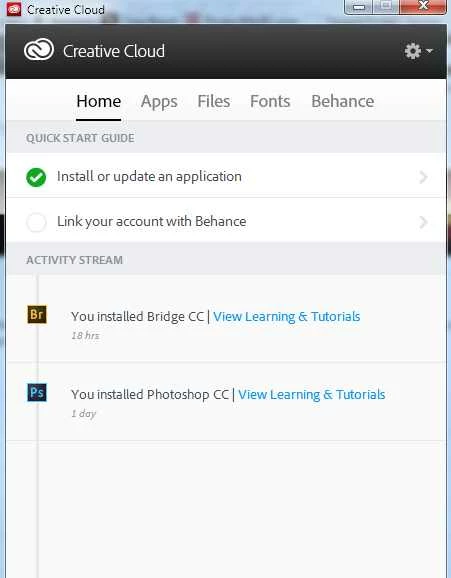
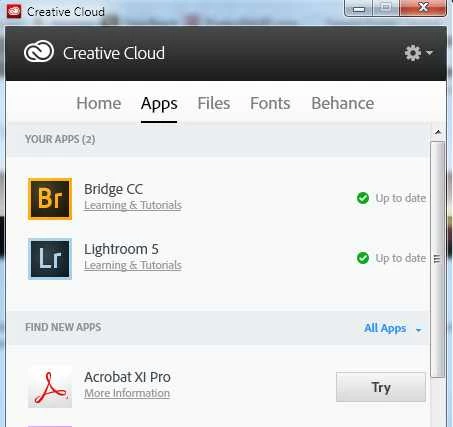
I found the file and deleted it, but this is what I see in CC desktop. Sorry to keep beating the horse, but it's not quite dead yet.

The apps display still has Install next to Photoshop CC.


If it still is not listing properly WillKeff then completing the remaining steps in CC desktop lists applications as "Up to Date" when not installed - http://helpx.adobe.com/creative-cloud/kb/aam-lists-removed-apps-date.html will lead to a resolution.

1 reply

Jeffrey_A_Wright
Legend
January 21, 2014

WillKeff can you please post a screen shot of the error and the double listing of the Creative Cloud application?  Also which operating system are you using?

WillKeffAuthor
Participating Frequently
January 21, 2014

Here are the screen shots. I don't know whether it's relevant, but I have registered Ps CS3 and CS5.

<Images removed by Moderator due to containing personal information>

This last one appears over and over.

Will

Jeffrey_A_Wright
Legend
January 21, 2014

Will I have edited your post as this a public forum.  Please do not post screen shots of your serial numbers or e-mail address.

Is your Windows based computer on a managed network?  If not can you please try implementing solution 2 in CC desktop lists applications as "Up to Date" when not installed - http://helpx.adobe.com/creative-cloud/kb/aam-lists-removed-apps-date.html.