


Participant
August 16, 2026
Answered

I need an older version of Illustrator 2024 so that my cutter software will be able to plug in. Cutting software only supports up to Illustrator 2024

  • August 16, 2026
  • 5 replies
  • 95 views

I need version 28.x for windows 11 and its not available in the cloud. because a critical Cutting Master Pro Plus plugin used with my Graphtec Cutter is not compatible with my current Illustrator workflow. Illustrator 2024 is no longer visible under Other Versions in Creative Cloud. Please provide the official installer or escalate this request to the download and installation team. Please Help!

    Correct answer Nancy OShea

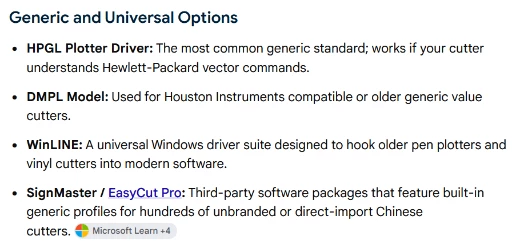
    You may need to explore generic or universal options. 


    Good luck.


    5 replies

    Nancy OShea
    Community Expert
    Nancy OSheaCommunity ExpertCorrect answer
    Community Expert
    August 19, 2026

    You may need to explore generic or universal options. 


    Good luck.


    Nancy O'Shea— Product User & Community Expert
    Nancy OShea
    Community Expert
    Community Expert
    August 17, 2026

    Have you reached out to Graphtec America, Inc. to see if they can connect you with upgraded software that’s compatible with Illustrator 2026?  


    Nancy O'Shea— Product User & Community Expert
    Participant
    August 17, 2026

    Yes I have. They don't have a software that can support the cutter and firmware that is compatible with a newer version of Illustrator. The new cutter software does not support the  cutter since the cutter was made in 2019. The only way possible to use the plug in that works with my year cutter is to use 2024 version of Illustrator or slightly older. 

    Nancy OShea
    Community Expert
    Community Expert
    August 17, 2026

    Unless you have a Teams or Enterprise plan, your access to older versions gets further & further out of reach with each new product release.


    All I can suggest is to contact Adobe Customer Support. But they’ll probably tell you the same thing. Creative Cloud only supports the current release + one previous version back (vers 30 & 29).


    Nancy O'Shea— Product User & Community Expert
    kglad
    Community Expert
    Community Expert
    August 16, 2026

    you can install the latest and 1 version prior versions using the cc desktop app. you must have a subscription because previous versions are not available with trials. other versions are revealed after clicking file preferences>apps>tick show older apps (at panel bottom).  


    for other versions use the wayback machine archive (with prodesigntools.com), though if you can’t work around the 301 errors, you’ll be out of luck.