Participant
March 30, 2026
Question

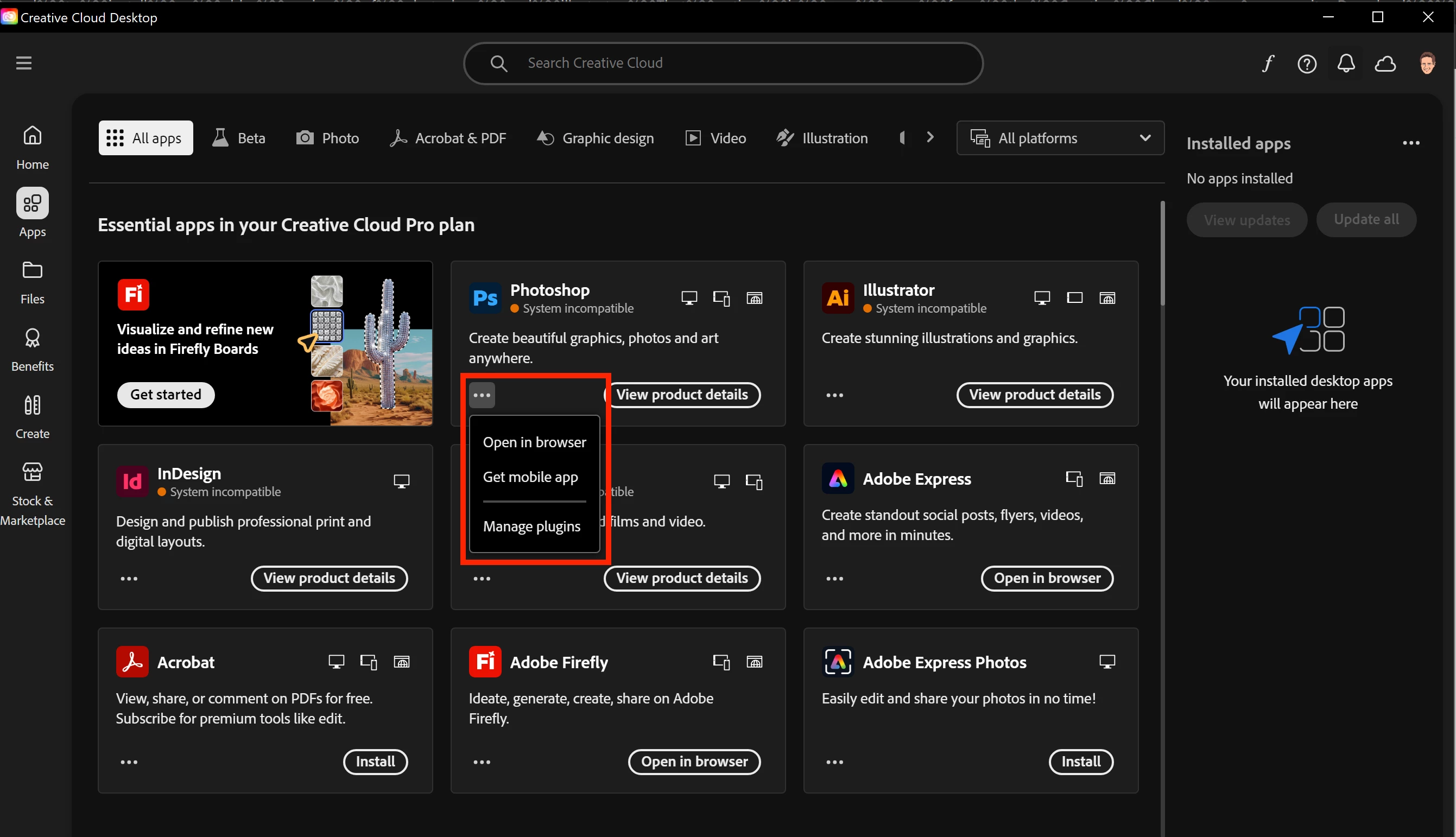
I need to install an older version of photoshop and illustrator. That option is now gone from the Creative Cloud app.

  • March 30, 2026
  • 2 replies
  • 62 views
“Other Versions” is not available for Photoshop and Illustrator.


    2 replies

    leo.r
    Community Expert
    Community Expert
    March 30, 2026


    Maybe an incompatible system has something to do with it?

    Nancy OShea
    Community Expert
    Community Expert
    March 30, 2026
    Nancy O'Shea— Product User & Community Expert
    Nancy OShea
    Community Expert
    Community Expert
    March 30, 2026

    Go to your Preferences in Creative Cloud Desktop App.

    Avatar => Preferences

    Under Apps => Settings, enable the option to Show Older Apps. See screenshot.


    If that option is not available in your version, you likely have a Teams or Enterprise plan in which case you need to contact your IT dept for older versions.


    Hope that helps.


    Nancy O'Shea— Product User & Community Expert
    shawn.oAuthor
    Participant
    March 30, 2026

    Hello,


    Yes, I already have that option enabled, yet I cannot see other versions of Photoshop or Illustrator.


    Jeff_A_Wright
    Community Manager
    Community Manager
    March 30, 2026

    Thanks for posting, ​@shawn.o. In addition to the helpful suggestions offered by ​@Nancy OShea, please make sure that you are logging in under the account managed by your company. For more information on using the Account Chooser, see https://helpx.adobe.com/enterprise/kb/enterprise-id-faq.html.


    For additional information on accessing older versions of Creative Cloud applications, please see 

    . You may need to reach out to your organization’s Creative Cloud plan administrator, ​@shawn.o if you have a specific version request.