Inspiring
May 24, 2018
Answered

Impossible to reinstall Creative Cloud Application

  • May 24, 2018
  • 2 replies
  • 1237 views

Yesterday I saw there was a Problem updating CC (error 1001), so I uninstalled it using Creative Cloud Uninstaller.  First I get a message
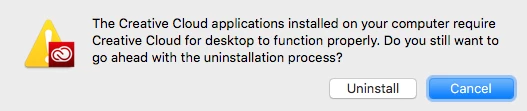
and then
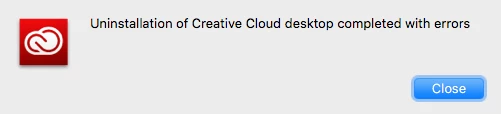
After this I first tried to reinstall Creative cloud, but the installer stay blocked at 43% while System warn me about "install" process quit  (I kept the logs if it can help)

I waited a few minutes and then force quit the installer that was stuck.

I read about those in support and decided to use Adobe CC Cleaner tool, following the instructions given. renaming the OOBE folder to OOBE.old and launch again the Adobe Creative Cloud Installer with the same Result (system message and Installer stuck at 43%°). Did this 3x times with the same results each time.

So I'm begging for some help now.

Thanks in advance for clues

MacPro, El Capitan (10.11.6)

This topic has been closed for replies.
Correct answer Bani Verma

Hi Octone75,

I'm so sorry for the poor experience.

As you have mentioned that after the uninstall completed with errors now the Creative Cloud desktop app doesn't install the installer stops at 43% every time and you have also performed certain troubleshooting steps to resolve it, however the issue still persists.

I would recommend trying the steps given in 'Solution 1' of the following help document to resolve the issue: "Failed to install" error received when installing Adobe Creative Cloud desktop app"

If it still fails, then could you please let us know if you have any anti-virus, internet security software or system optimizer software installed on your machine?

These apps can cause the Creative Cloud desktop app to stop working, specially a system optimizer software.

I would request you to turn off these apps for the time being and then follow the steps given in the below thread to manually remove Creative Cloud desktop app from your machine:illustrator reinstalling free trial 1 day old!

After this download and install the Adobe Creative Cloud desktop app using the direct download links from here: Download Creative Cloud desktop app.

Let us know if this helps.

2 replies

octone75Author
Inspiring
May 24, 2018

Great thanks it worked perfectly !!

And thanks also for the very quick response, I've appreciated a lot your reactivity.

Greetings from Paris

Laurent

Bani Verma
Legend
May 24, 2018

Glad to hear that everything is up and running now , and you're welcome!

octone75Author
Inspiring
May 24, 2018

Sorry But two other problems occurs as I have re-downloaded the Applications (Illustrator and Photoshop)

Do You want me to open a new thread or do I continue on this one, knowing they aren't related directly to "creative cloud desktop installation" ?

Bani Verma
Bani VermaCorrect answer
Legend
May 24, 2018

Hi Octone75,

I'm so sorry for the poor experience.

As you have mentioned that after the uninstall completed with errors now the Creative Cloud desktop app doesn't install the installer stops at 43% every time and you have also performed certain troubleshooting steps to resolve it, however the issue still persists.

I would recommend trying the steps given in 'Solution 1' of the following help document to resolve the issue: "Failed to install" error received when installing Adobe Creative Cloud desktop app"

If it still fails, then could you please let us know if you have any anti-virus, internet security software or system optimizer software installed on your machine?

These apps can cause the Creative Cloud desktop app to stop working, specially a system optimizer software.

I would request you to turn off these apps for the time being and then follow the steps given in the below thread to manually remove Creative Cloud desktop app from your machine:illustrator reinstalling free trial 1 day old!

After this download and install the Adobe Creative Cloud desktop app using the direct download links from here: Download Creative Cloud desktop app.

Let us know if this helps.