
InDesign and Dreamweaver: Error 0xc000007b
After a lot of hassle, I finally managed to install Adobe Creative Cloud. I have full Cloud access so I downloaded Photoshop, Illustrator, Dreamweaver, and InDesign. Photoshop and Illustrator work fine. They're a little slow to start up, but that's nothing out of the ordinary.
However, I can't get Dreamweaver or InDesign to start at all. I've never been able to get them to start despite uninstalling and reinstalling them multiple times. When I click on their corresponding icons, I get error 0xc000007b.
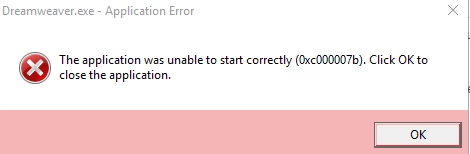
In case you're unable to see the image it reads, "The application was unable to start correctly (0xc000007b). Click OK to close the application."
This exact same thing happens with both Dreamweaver and InDesign.
What can I do to fix this? I'm desperate to get these working.
Also, as much as I hate to say it, I'm not the best with computers. I might need a little extra explanation on something more complicated. Sorry :c
 AdChoices