rachklbull
Participant
February 16, 2016
Answered

InDesign CC Patch Update Failed Error Code: U44M1P34

  • February 16, 2016
  • 2 replies
  • 831 views

I've tried to update to the latest patch for this software, but it isn't working.

I've uninstalled, restarted, and reinstalled the application but it just tells me that the application has been installed but there was an error with the patch.

When I try to install the update manually, it still comes up with the same error code.

What is going on?!

Anyone else have the same issue?

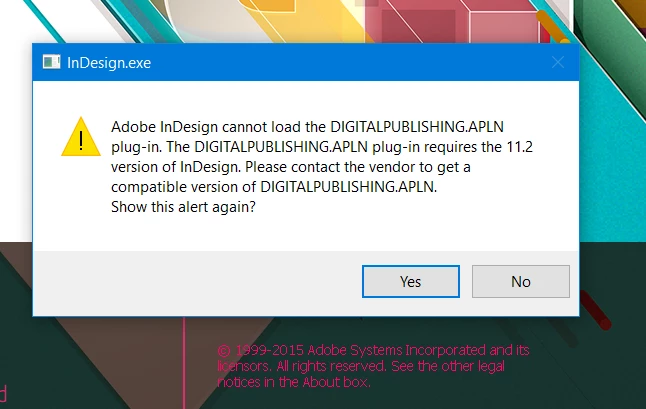
It also comes up with this dialogue box when you load the application.
This topic has been closed for replies.
Correct answer Govardhan.V

If all steps fails and if you havent installed other Adobe apps , you may refer below link :

I have tried to update Photoshop and get update error try again later with error U44M1P34

2 replies

Anupriya Khare
Participating Frequently
February 17, 2016

Please refer Update Failed - InDesign CC - U44M1P34

Hope this will help you.

Regards

Anupriya Khare

rachklbull
Participant
February 17, 2016

I've followed the method for this already and it hasn't worked.

Anupriya Khare
Participating Frequently
February 18, 2016

Please contact Adobe Support over phone or chat. Please refer Contact Customer Care to contact Adobe Support.

Steve Werner
Community Expert
Community Expert
February 17, 2016

Moving to Downloading, Updating forum.