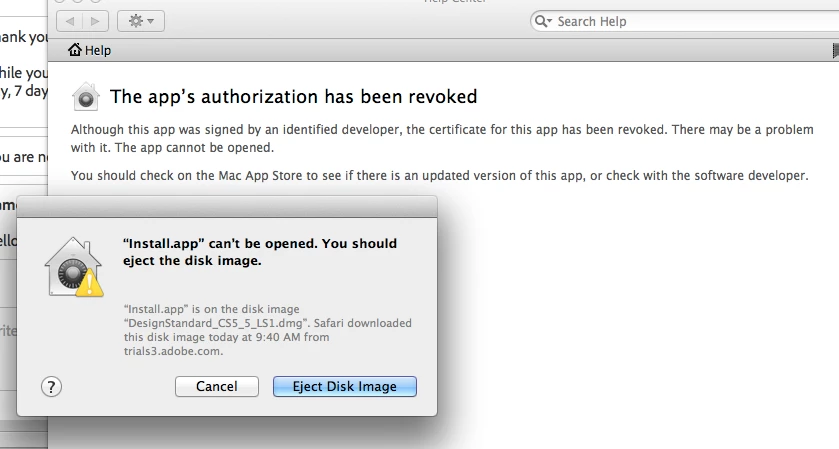
install.app can't be opened. you should eject the disk image
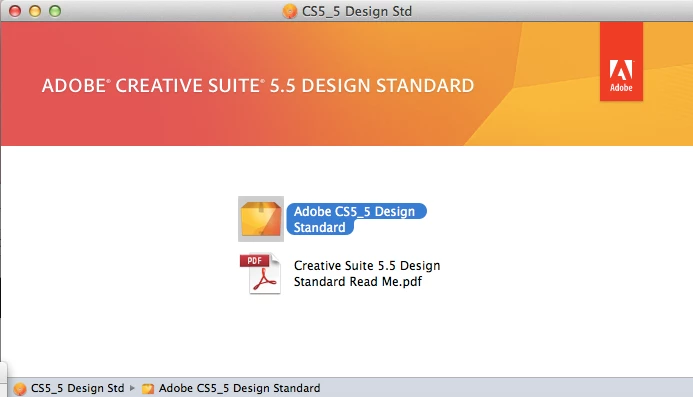
Someone please help! I am trying to install design standard CS5.5 on my macbook. My problem began when I needed the previous serial number to CS5.5 and didn't have it, so I needed to contact Adobe chat help. With Chat help, I downloaded the Design Standard CS5.5 then received the "support code" since I didn't have a serial number for CS5. Then it installed….However, it installed CS5.1 and only InDesign CS5.5. So, I went back to the chat support…they said, uninstall, re-download and get back to us for another "support code". I downloaded, but it won't install. It says "Install.app can't be opened. You should eject the disk image. But, if I eject the disk image, there is no install app.
Can anyone help…please?
Thank you
I get the package to open…and when I go to the install app I get the message below (see photos)
 AdChoices