


Participant
May 22, 2017
Answered

"Install" can't be opened. You should eject the disk image.

  • May 22, 2017
  • 2 replies
  • 1953 views

I am trying to install a previously licensed version of CS5.5 onto my new Macbook Pro.  I logged into Adobe Worldwide Licensing and tried to download the installer, both via the "Download" and "Download Manager" buttons.  I get as far as completing the download, opening CS5_5 Design Std folder, double-clicking "Install", and then receive the following error in a popup:
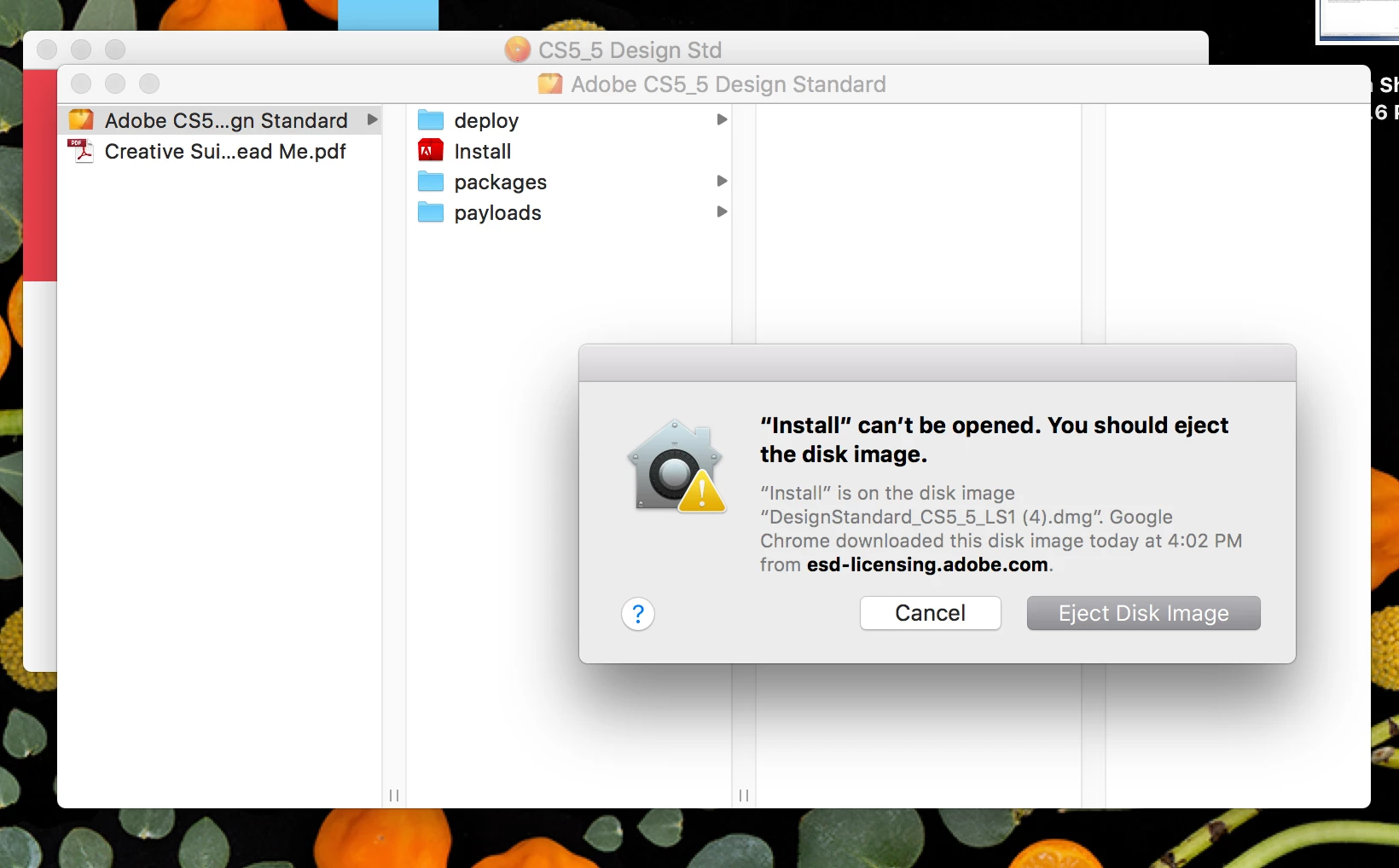
I'm not sure what to try next - any help would be greatly appreciated!

    This topic has been closed for replies.
    Correct answer Jeffrey_A_Wright

    Moving this discussion to the Downloading, Installing, Setting Up forum.

    Katiev53570391 please see Installing Creative Suite on a new Mac or macOS 10.12 (Sierra) or later where this error message, and a workaround, have been discussed.

    2 replies

    Jeffrey_A_Wright
    Community Manager
    Jeffrey_A_WrightCommunity ManagerCorrect answer
    Community Manager
    May 22, 2017

    Moving this discussion to the Downloading, Installing, Setting Up forum.

    Katiev53570391 please see Installing Creative Suite on a new Mac or macOS 10.12 (Sierra) or later where this error message, and a workaround, have been discussed.

    Participant
    May 23, 2017

    THANK YOU!!  I searched the forums to no avail, so apologies that I missed this thread. The fix was perfect!

    Jeffrey_A_Wright
    Community Manager
    Community Manager
    May 23, 2017

    Excellent.  Thanks for the update Katiev53570391!

    John T Smith
    Community Expert
    Community Expert
    May 22, 2017

    CS6 and earlier programs have not been tested and will not be updated for Mac El Capitan/Sierra

    -which means that you try to use CS6 and earlier at YOUR risk of having problems due to Apple updates

    -Apple did not maintain backward compatibility with old programs in El Capitan or Sierra

    --Adobe has a workaround to Apple's problem of not maintaining backward compatibility

    --several help links inside this message https://forums.adobe.com/thread/2301916

    -also install OLD Java runtime if needed https://support.apple.com/kb/dl1572?locale=en_US


    ADDED due to message 2301916 no longer being available

    https://helpx.adobe.com/creative-cloud/kb/install-creative-suite-mac-os-sierra.html