
freudigmk09
Participant
August 19, 2017
Answered

Install Issue - CS6 Design Standard on MacOS Sierra (10.12.6)

  • August 19, 2017
  • 1 reply
  • 732 views

I am attempting to reinstall CS6 from a disc with a serial number.

Many people seem to have issues with the installer and I have seen that workaround.  The following happens after I use the workaround:

  1. Terminal runs the Install
  2. Adobe Installer pops up and initializes the installer
  3. Welcome screen pops up asking if I'd like to install from SN, subscription, or trial.  I select SN, accept T&C and enter my code
  4. It asks me which applications I want to install (Acrobat, ID, Ai, and PS).  I select them all and click "Install"
  5. My computer asks me for admin password and I enter it
  6. The following error screen pops up immediately:
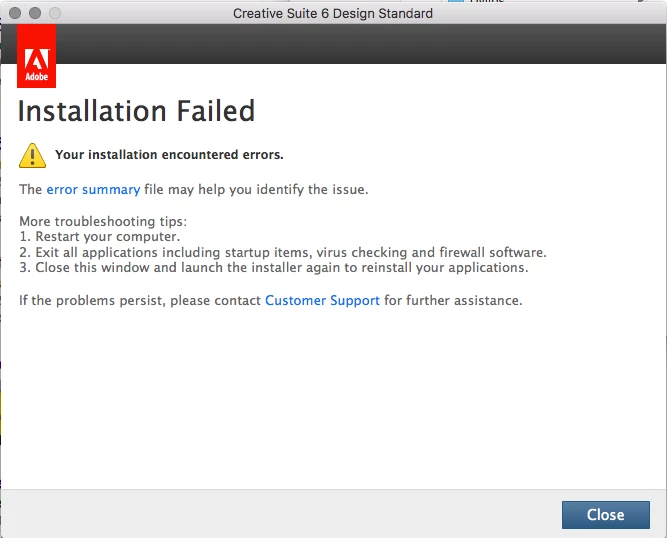
  1. I have tried restarting my computer
  2. I have quit all applications, including startup items like Adobe CC
  3. I have tried closing the window and relaunching the installer.

Clicking "error summary" just opens a window with a link that says "System Requirements" which brings me to an Adobe help page.  I insert Creative Suite as my program and it opens the Creative Cloud webpage.

Customer Support no longer exists for CS6.

Any other thoughts?

This topic has been closed for replies.
Correct answer Govardhan.V

You may try to install via Root user account once.

Still same?

If its ok for you to perform complete manual removal of Adobe apps and folders, you may try with the steps mentioned in below links:

Can't install Photoshop CC on Mac

fail to download photoshop when 42% via creative cloud?    ( Complete removal is provided in post# 18 )

1 reply

Govardhan.V
Participating Frequently
August 19, 2017

Do you have other Adobe apps installed on your Mac and are they working fine?

freudigmk09
Participant
August 19, 2017

Acrobat Reader DC and Creative Cloud have downloaded and work fine.

I even had CS6 on this exact computer and OS before but had to uninstall.

Govardhan.V
Govardhan.VCorrect answer
Participating Frequently
August 19, 2017

You may try to install via Root user account once.

Still same?

If its ok for you to perform complete manual removal of Adobe apps and folders, you may try with the steps mentioned in below links:

Can't install Photoshop CC on Mac

fail to download photoshop when 42% via creative cloud?    ( Complete removal is provided in post# 18 )