


This topic has been closed for replies.

4 replies

John T Smith
Community Expert
Community Expert
December 2, 2023

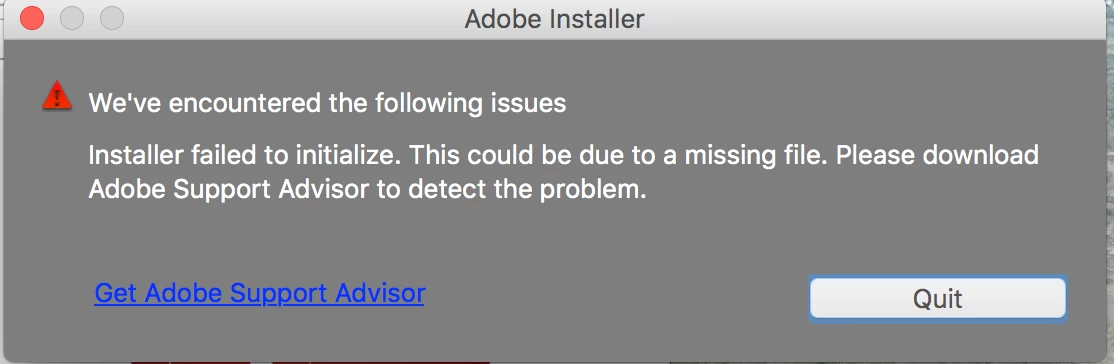
As far as I know that "support advisor" message is what happens when trying to install an old Creative Suite (not Creative Cloud) program on a newer Apple operating system


So, again, what are you trying to install and what is your computer and operating system?

Abambo
Community Expert
Community Expert
December 2, 2023
quote

As far as I know that "support advisor" message is what happens when trying to install an old Creative Suite (not Creative Cloud) program on a newer Apple operating system


By @John T Smith

I also thought to know that Support Advisor from the Creative Suite area.

ABAMBO | Hard- and Software Engineer | Photographer
Shivangi_Gupta
Community Manager
Community Manager
December 1, 2023

Hi @Mensz.gUDoker0823,

We're sorry for the trouble. You may need to completely reinstall the Creative Cloud desktop application for fixing this error. Please follow the article link shared by @kglad above and let us know if it helps. Could you also share your system info(OS version, RAM, processor, etc) with us?

 Looking forward to your response.

Regards,

Shivangi

kglad
Community Expert
Community Expert
December 1, 2023
John T Smith
Community Expert
Community Expert
December 1, 2023

Installing what, on what operating system?


If you are trying to install an old program on a new Mac it will not work... but you need to provide details


When you ask a question you always need to provide some basic information
-Forum quick start https://community.adobe.com/t5/Community-Help/ASK-Forum-Success-Guide-Efficiently-using-the-forums/td-p/4791542
-https://community.adobe.com/t5/Get-Started/Questions-you-need-to-answer-to-receive-better-help/td-p/6199470
-https://community.adobe.com/t5/get-started/how-to-post-and-get-your-issue-resolved-or-what-do-you-need-to-know-to-solve-my-issue/td-p/11178657?page=1