This topic has been closed for replies.

1 reply

Mylenium
Legend
February 12, 2014

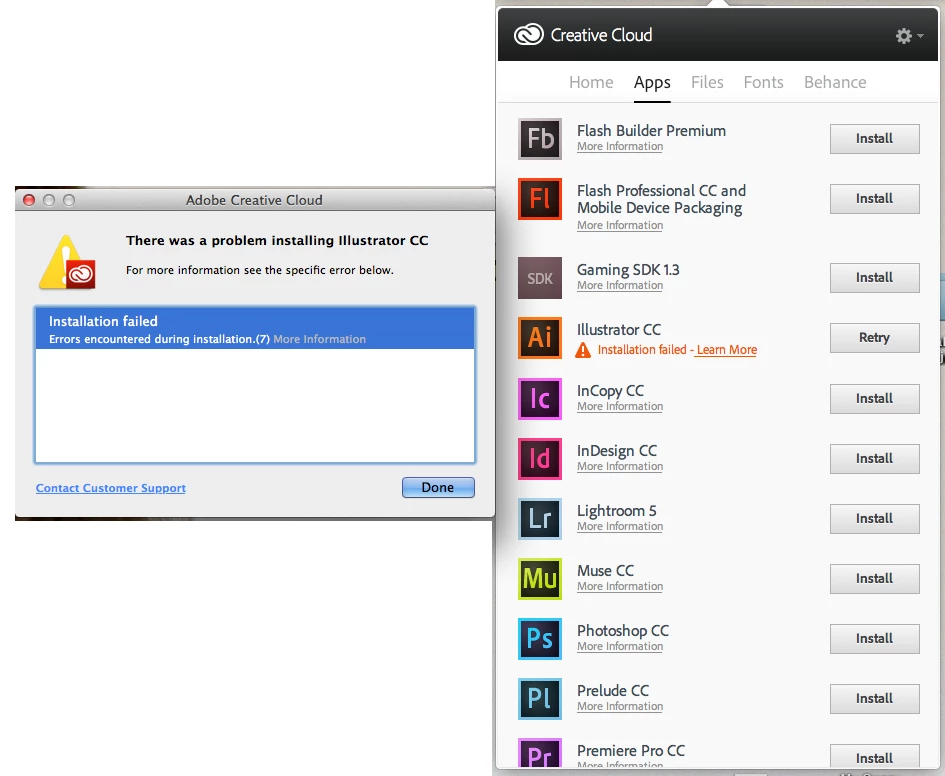
Run the cleaner tool and try again.

http://www.adobe.com/support/contact/cscleanertool.html

Mylenium

Known Participant
August 28, 2014

Seriously? This happens so regularly when installing new apps especially. And we need to figure out where these files are, back them up, uninstall critical apps, run a cleaner tool and "try again." I just today had to jump hoops to get the CC app to stop doing silly crap, and now this. Fix your CC service, Adobe.

Jeffrey_A_Wright
Legend
August 28, 2014

Markkennethking this discussion dates from February 12, 2014.  If the solution provided does not resolve your current difficulties then I would recommend posting a new discussion with the specifics of the difficulties which you are currently facing.