Answered
Installation Master Collection CS4
Hi,
When I try to start an installation of Master Collection CS4 I got the message "The installation database is corrupt. Contact Adobe support"
What do you do ?
Thomas

Hi,
When I try to start an installation of Master Collection CS4 I got the message "The installation database is corrupt. Contact Adobe support"
What do you do ?
Thomas
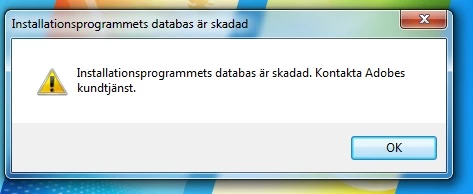
The Installation database is corrupt. Contact Adobe Customer service.
The message turn up just after I press "Install Adobe Creatiove Suite 4 Master Collection"
a previous installation attempt may have installed a caps.db file. search your c drive for those files.
if those files don't exist, copy your installation files from your installation disc to your desktop and install from there. if that fails (or makes no sense), download the installation files and use them to install:
if you follow all 7 steps you can dl a trial here: http://prodesigntools.com/download-adobe-cs4-and-cs3-free-trials-here.html
and activate with your serial.
if you have a problem dl'g, you didn't follow all 7 steps. the most common error involves failing to meticulously follow steps 1,2 and/or 3 (which adds a cookie to your system enabling you to download the correct version from adobe.com).
Already have an account? Login
Enter your E-mail address. We'll send you an e-mail with instructions to reset your password.
 AdChoices