


Participant
July 10, 2026
Question

Installation status stuck at "waiting" for long time

  • July 10, 2026
  • 2 replies
  • 21 views

I currently have a 4-month free trial period for Adobe Creative Cloud Pro 2026, but I am unable to download any applications from creative cloud. Whenever I try to install apps like Illustrator, Photoshop, or Acrobat, the installation status gets stuck on 'Waiting' for long time, and the process never actually begins.
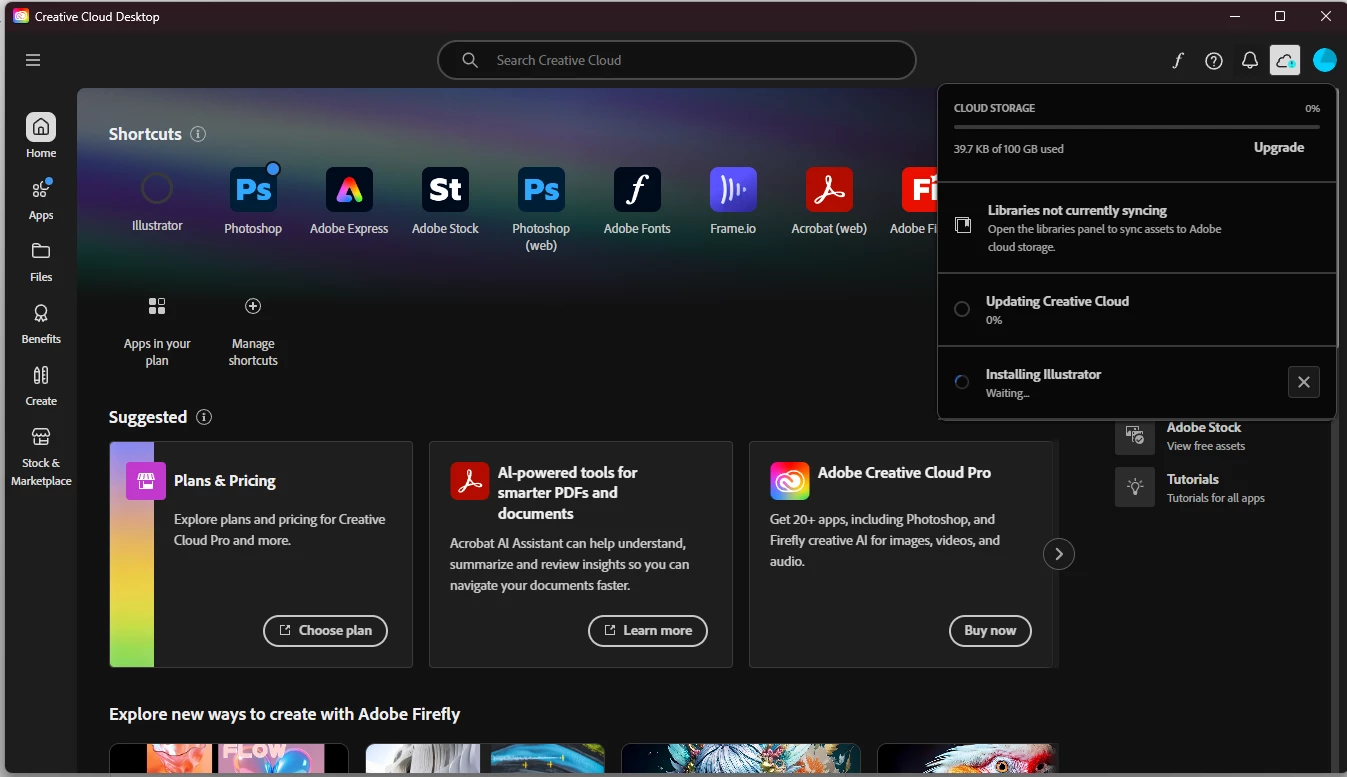


I have already tried the following troubleshooting steps, but none of them resolved the issue:


1. Reinstalled Adobe Creative Cloud desktop application multiple times.

2. Restarted my PC multiple times


Has anyone dealt with this before? Any fixes would be awesome. Thanks!

    2 replies

    Nancy OShea
    Community Expert
    Community Expert
    July 10, 2026

    Sometimes Adobe’s systems experience temporary outages. You can check the System Status report below in real time.

    https://status.adobe.com/


    Also, turn off non-essential apps, antivirus scans, and any other background processes that could be interfering with updates.  The less work your computer has to do, the better.


    Nancy O'Shea— Product User & Community Expert
    kglad
    Community Expert
    Community Expert
    July 10, 2026

    first try, resetting the cc app: To reset the Creative Cloud desktop app, make sure it's in the foreground, then press: Win: Ctrl + Alt + R Mac: Cmd + Opt + R


    if that fails, do a clean cc install:


    uninstall every cc app including preferences, https://helpx.adobe.com/creative-cloud/help/uninstall-remove-app.html


    then uninstall the cc desktop app, https://helpx.adobe.com/creative-cloud/help/uninstall-creative-cloud-desktop-app.html


    clean your computer of cc files per http://www.adobe.com/support/contact/cscleanertool.html


    restart your computer (don't skip this)


    download the cc desktop app by using the links at the both of this page, https://helpx.adobe.com/download-install/apps/download-install-apps/creative-cloud-apps/download-creative-cloud-desktop-app-from-web.html


    install the cc desktop app using an administrator account (solution 4 here, https://helpx.adobe.com/creative-cloud/kb/creative-cloud-missing-damaged.html)


    use the desktop app to install your cc programs/trials

    Participant
    July 10, 2026

    Thanks for the info, I followed your steps. But now I'm getting another issue with an error code and installing the sync component. The install is still stuck on 'waiting'.


    I'm connected to the internet, but clicking retry does nothing.