rcraighead
Legend
October 18, 2018
Answered

Installed Apps not appearing in CC "Installed Apps" list. Why?

  • October 18, 2018
  • 2 replies
  • 434 views

I have AI CC 2015.3 (20.1.0) installed but it does not appear in my CC "Installed Apps" list:
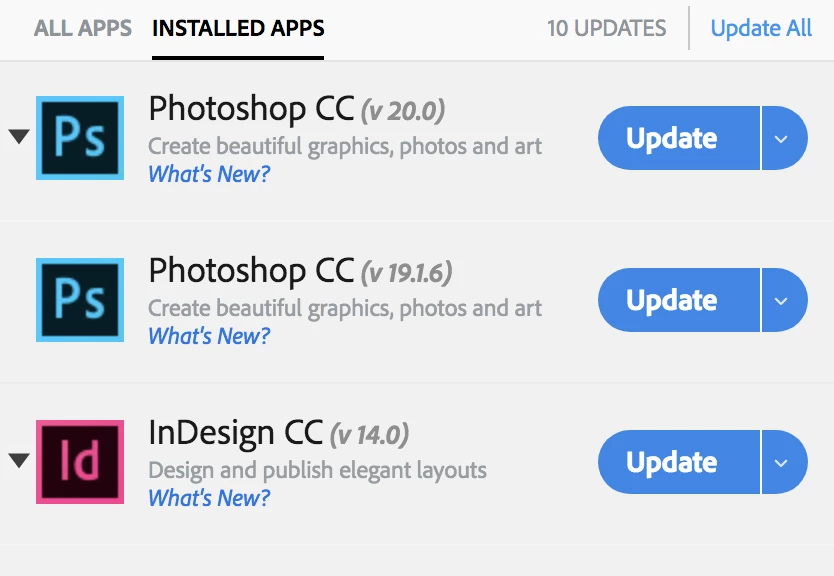
So, when I view "All Apps" Illustrator shows "Install" instead of "Update". How do I download the new version without running the risk of having AI CC 2015 deleted automatically?
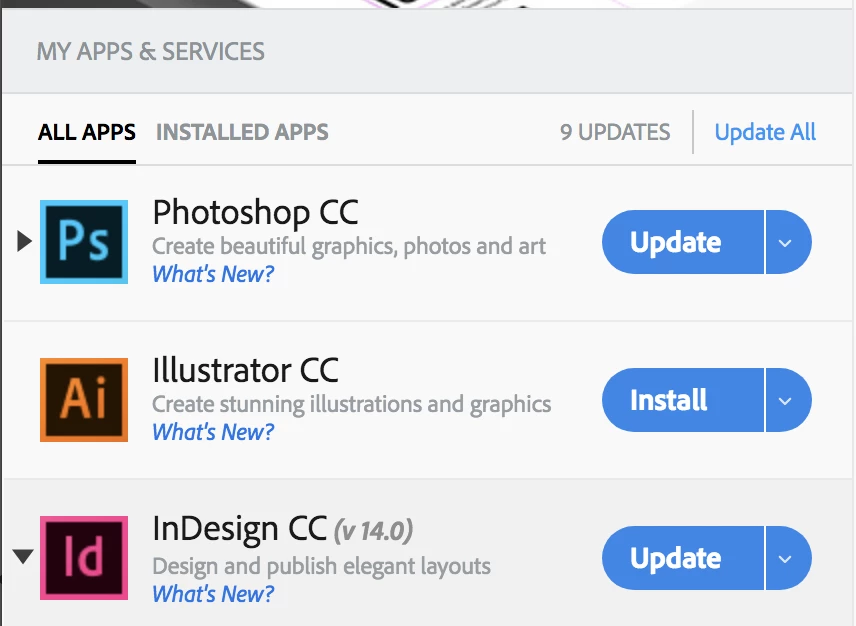
And why does this always seem to difficult?

Edit: I tried logging out and back in, but no difference.

This topic has been closed for replies.
Correct answer kglad

if the cc desktop app fails to detect it, it's unlikely to delete it.

if it did delete it, you can reinstall and opt to leave the latest version installed, too.

but the best solution would be to uninstall it via your control panel and then install whatever you want via the cc desktop app.

2 replies

Kanikas
Legend
October 18, 2018
kglad
Community Expert
kgladCommunity ExpertCorrect answer
Community Expert
October 18, 2018

if the cc desktop app fails to detect it, it's unlikely to delete it.

if it did delete it, you can reinstall and opt to leave the latest version installed, too.

but the best solution would be to uninstall it via your control panel and then install whatever you want via the cc desktop app.