
gennaropolimi
Participant
January 5, 2016
Question

installing a CS6 master collection

  • January 5, 2016
  • 1 reply
  • 303 views

while installing a CS6 master collection on my Mac (OS X El Capitan 10.11.1) - it is a licensed virtual download installation file - during the first check before running the installation a pop-up appeared with the following text/image
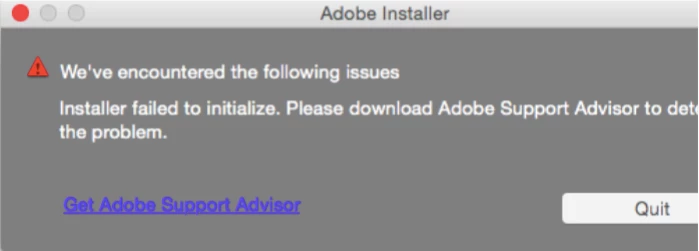
as you know the Adobe Support Advisor doesn't run anymore and I have been forwarded to the generic page:

Adobe Support

from which I was able just to browse the Forum without being able to solve my problem.

How should proceed?
I bought the license via my University and I have the serial number and all the installer dmg files.

Is there any chance to have the applications running?

thanks,

gennaro

    This topic has been closed for replies.

    1 reply

    John T Smith
    Community Expert
    Community Expert
    January 5, 2016

    That MAY be a false error message due to Mac El Capitan and OLD programs

    This information is a MUST DO to install old programs on Mac El Capitan

    -you may not get the same error message, but these two links will help with old programs

    Install CS5 on Mac 10.11 https://forums.adobe.com/thread/2003455 may help (also for other than CS5)

    -also a TEMPORARY security change https://forums.adobe.com/thread/2039319

    FAQ about Mac 10-11 https://forums.adobe.com/thread/1979303

    gennaropolimi
    Participant
    January 5, 2016

    thanks.

    I will try

    g