Participant
January 28, 2025
Question

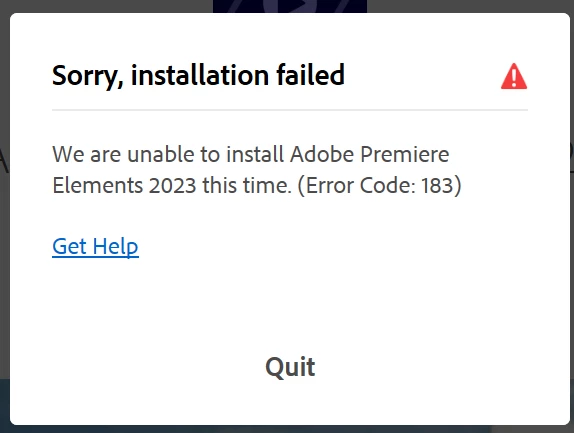
Installing Premier Elements 23 or Photoshop Elements 23 - error code 183

  • January 28, 2025
  • 1 reply
  • 176 views

Hi,


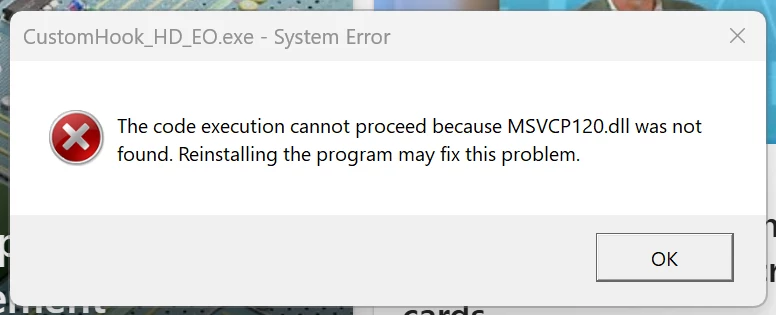
I know this has been mentioned before, but I am having difficulties installing Premier or Photoshop Elements 23 on my PC (with Windows 11). I originally had these installed without any issues, but recently I had an issue with my PC and had to reset it. Now everytime I try and install the software I get the same errors - see below.


I have removed all versions of the software, disabled antivirus, treid to install as administrator...but no luck.

I have followed the 'get help' link - no luck

I have updated my MS C++ apps to the latest versions - no luck


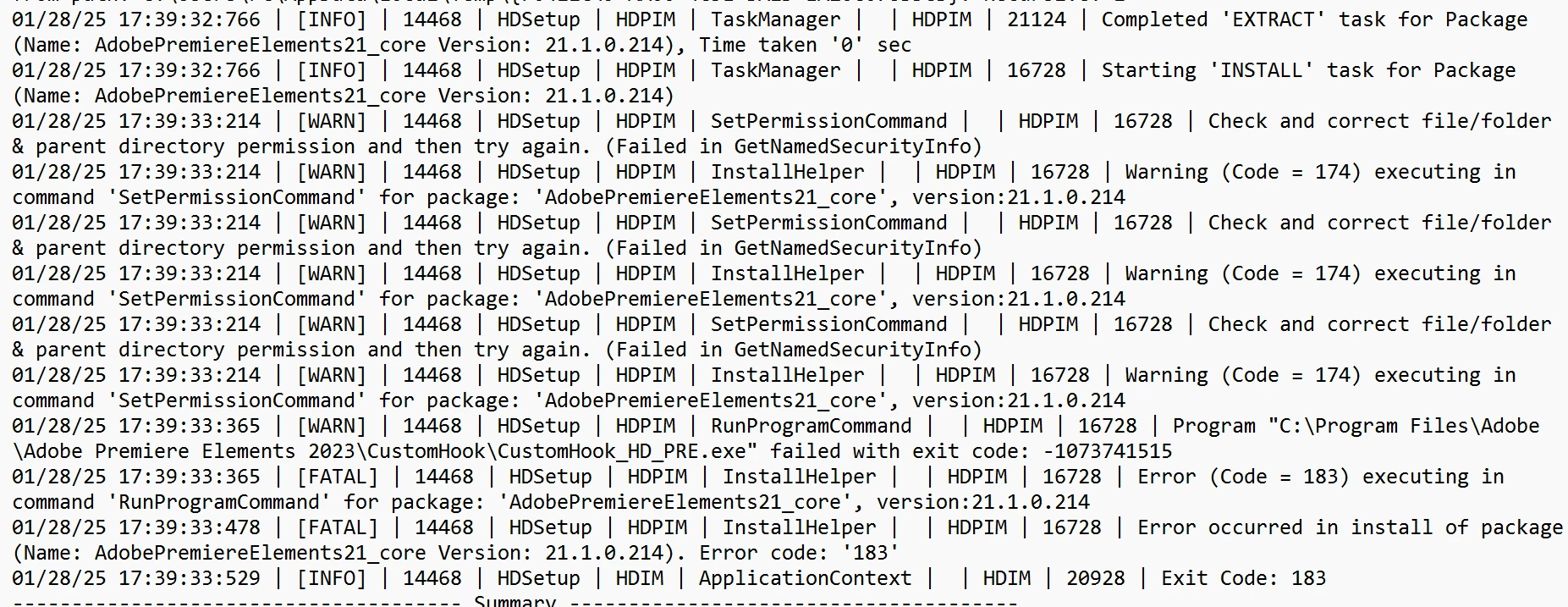
The error log is as below (which doesn't mean much to me as I am not very technical with this). Can anyone please assist.


Note that this is not a creative cloud installation, just a standard license on a PC.


Thank you


RT


1 reply

kglad
Community Expert
Community Expert
January 28, 2025
Richard TAuthor
Participant
January 29, 2025

Thanks for the suggestion but to be honest there is no 'new' advice here. I have tried these so many times without any success.


It appears that the msvcr120.dll and msvcp120.dll files were missing on my computer and no amount of repairing/reinstalling ms c++ files worked. I also think all the advice regarding anti virus and administrator mode is not correct either. I had conducted a full reinstall of windows 3 times.


However, I have found the solution that worked for me - thanks to another blog.


  1. If you can, get access to another computer running the same version of Windows...you need to copy the files.
  2. On the other computer, go to the windows/system32 folder and copy the msvcr120.dll and msvcp120.dll files to the same folder in your computer (use a USB for this). Then...on the other computer, go to the windows/sysWOW64 folder and copy the msvcr120.dll and msvcp120.dll files to the same folder in your computer. Note that the 2 folders (system 32 and sysWOW64) have different versions/copies of the *.dll files for 32 bit and 64 bit softwares.
  3. Restart your computer (I don't think this is necessary, but I did anyway), reinstall the software and .... magic, problem solved!


Note that this worked for me, and I did not see anyone suggest this simple fix on the adobe forum. This has been very frustrating for me and I hope this helps others.


Good luck.

kglad
Community Expert
Community Expert
January 29, 2025

@Richard T 


thanks for that, but other users should use the more tradiitonal fixes (which failed for you).