Invalid signature on today's LR update?
I was notified that an update to LR was available this morning. Three tries resulted in a download error - the file appears to be corrupted, please try again. So I looked around here and uninstalled LR, downloaded and ran the AdobeCreativeCloudCleanerTool, restarted my mac, and then tried downloading again. This time installation succeeded but 'a patch failed'. LR will open, and the splash screen has gone back to an older version (Build 1014445). Before this 'update' I was at Build 1083169. Here is the download error 'more information' dialog box:
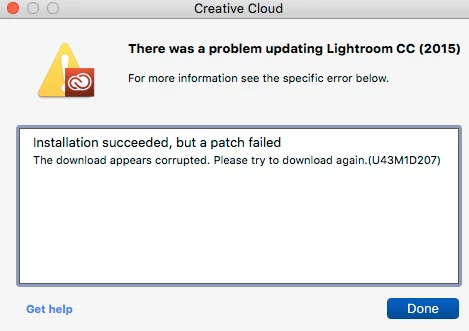
I looked up this code and it says it's due to an invalid signature on the update.
The other curious thing is that the cleaner tool left PS 2015.5 intact and working, but my newly downloaded and re-installed Adobe Creative Cloud app didn't know about it, and I have redownloaded it and it now appears in the CC list of installed apps.
I think someone botched the signature on the LR patch and I'd be pleased if it could be fixed.
Chris
 AdChoices