



Answered
Issue After Uninstalling Lightroom
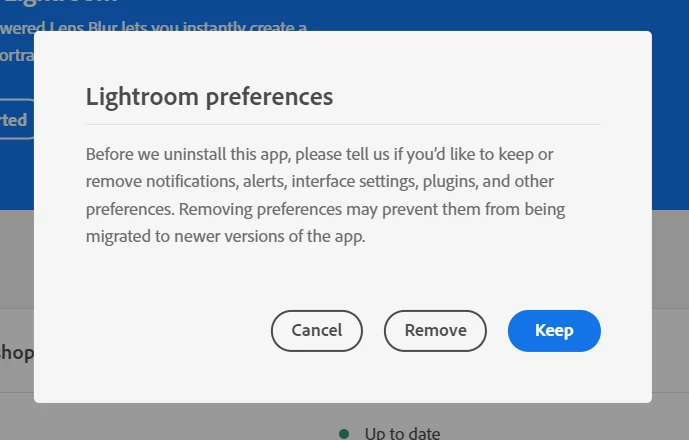
After the V13 update of Lightroom Classic I noticed I had also installed Lightroom in error. As I don't use Lr, I uninstalled it from Windows 10 (Ver 22H2) control panel. Since then, when using LrC, Creative Cloud Desktop (ver 6.0.0.571) loads and the pop up below displays, sometimes several times whilst editing images. In an attempt to stop this happening, I have reinstalled Creative Cloud and logged in again. I have also reinstalled Lr, then uninstalled it the correct way via Creative Cloud, however, the issue is still happening. I also run the latest versions of Bridge and Photoshop.
Any suggestions to prevent this will be gratefully recieved.

 AdChoices