


Participant
May 15, 2018
Answered

ISSUE - Can't connect to the Adobe Server right now

  • May 15, 2018
  • 5 replies
  • 4290 views

It's been several days that every time I open photoshop I get this message "we're sorry - we can not connect to the Adobe Server right now"

I also tried to download the application "Adobe limited access repair tool" but the message persists.

I have a Creative Cloud Photography annual subscrition.

Does anyone know how to fix this problem?
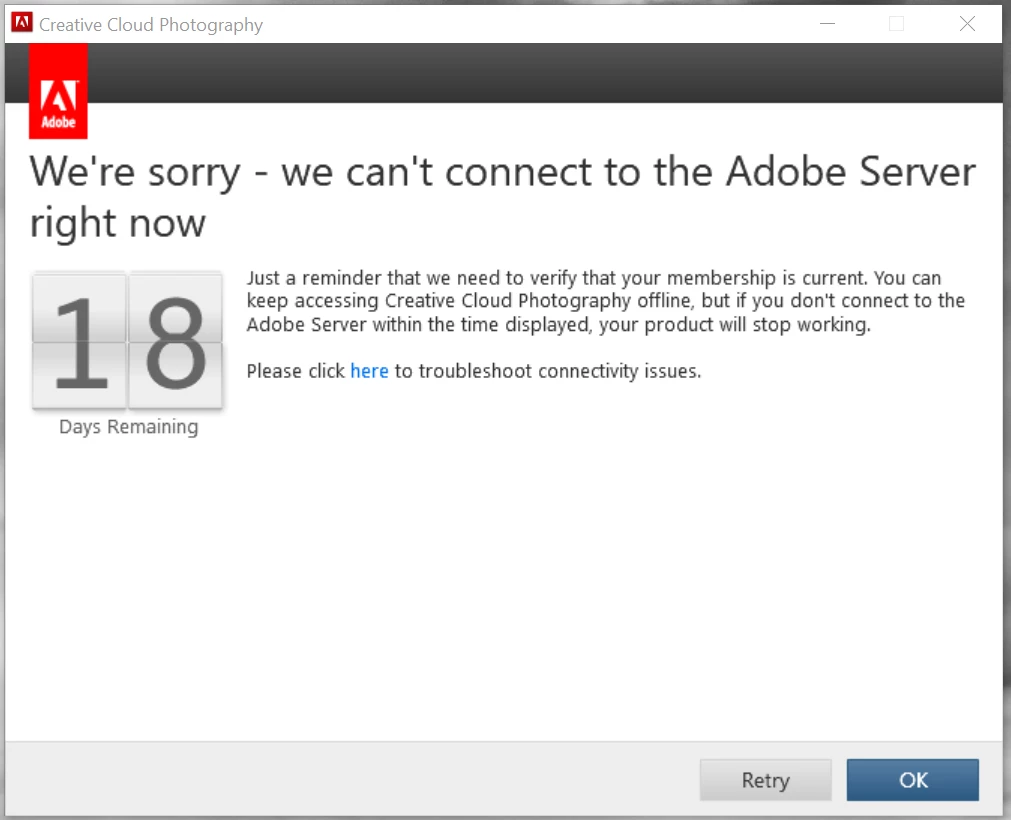
Thank you in advance

Riccardo

This topic has been closed for replies.
Correct answer Bani Verma

Hi Riccardo,

Sorry that you are having trouble using your Creative Cloud apps.

Could you please check and confirm that computer has access to Adobe servers by performing all the steps given here: Resolve connection errors with Adobe Creative Cloud and Creative Suite applications.

Just in case you are in an office environment please check if ports 80 and 443 are open, for more information refer to: https://helpx.adobe.com/content/dam/help/attachments/Creative_Cloud_for_enterprise_Service_Endpoints.pdf

Let us know if this helps.

5 replies

Participant
September 8, 2022

I'm on with Adobe right now....

They're saying if you have Windows 7 it'll stop working...BUT, he's saying if I BUY a new MONTHLY, it'll work with Windows 7???  I asked him "Well if I will be able to use Windows 7 with the new monthly plan, why won't ADOBE work with my current subscription plan? He disconnected the chat.  Lovely.


kglad
Community Expert
Community Expert
September 8, 2022

@scottymeade, current versions aren't compatible with win 7. it's too old.


trial subscriptions can't install previous versions (some of which are compatible with win 7).


with a non- trial subscription you can install previous versions compatible with your os.

Participant
September 12, 2022
Hi,

How would I get a "Non-Trial subscription"? It would GREAT if I could.

Thank you!!!

Cheers,
Scotty
danr91670092
Participant
March 9, 2022

I've been on chats and phone calls with Adobe tech support for the past three days. They could not figure it out. The more I thought about it I started to think I need to hide my identity on the web when I try to log in. And it worked!!! I used Virtual Shield but I'm sure other companies can offer the same help. Here is the link to get you back on Creative Cloud https://virtualshield.com/?rfsn=6453576.2a9afc

November 14, 2021

I am also having this problem. Down to "5 Days" to go now.

Also on Windows 7 64 bit.

Tried the above.

Also can't log out (The signed in account is my old email which I updated quite some time ago)

Participant
October 22, 2021

I'm having the same problem.

I've tried all the troubleshooting steps and the error persists. I'm on Windows 7 64bit.

Bani Verma
Community Manager
Bani VermaCommunity ManagerCorrect answer
Community Manager
May 15, 2018

Hi Riccardo,

Sorry that you are having trouble using your Creative Cloud apps.

Could you please check and confirm that computer has access to Adobe servers by performing all the steps given here: Resolve connection errors with Adobe Creative Cloud and Creative Suite applications.

Just in case you are in an office environment please check if ports 80 and 443 are open, for more information refer to: https://helpx.adobe.com/content/dam/help/attachments/Creative_Cloud_for_enterprise_Service_Endpoints.pdf

Let us know if this helps.

Participant
October 16, 2021

Hi. I am having this same error. I am on Windows 7, and have run through all the connection error resolution with no problems, & I have ensured I have TLS 1.2. I am not in an office environment, and I'm a litle fuzzy on what I should e doing with the Service Endpoints...

Help please!

jessica