
Participant
February 13, 2020
Question

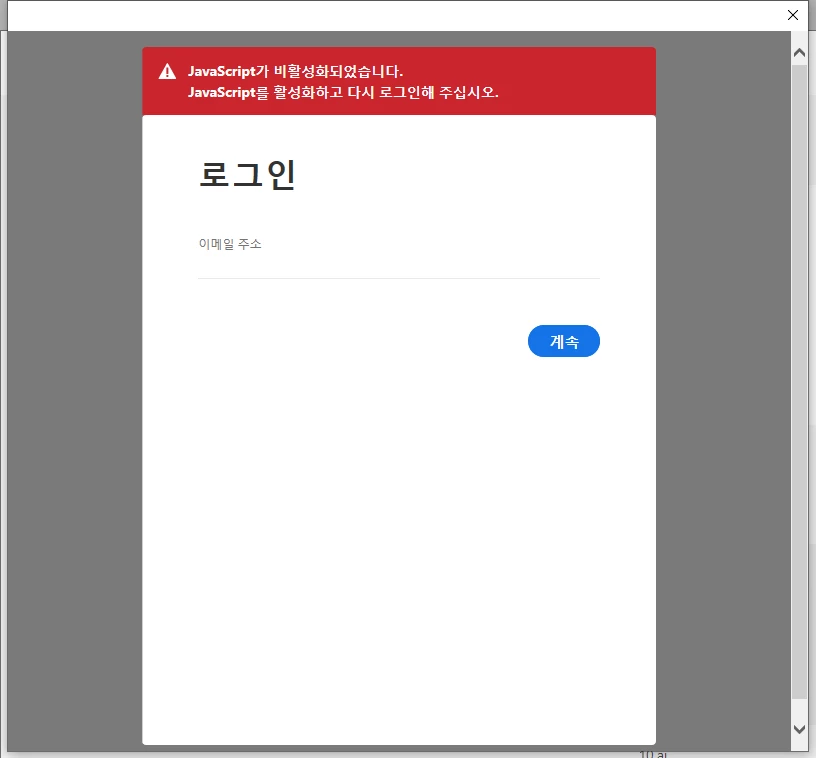
javascript error popup. can't start.
  • February 13, 2020
  • 3 replies
  • 465 views


suddenly this pop-up message shows up and can't start the apps..

it says 'Javascript de-activated: activate and try again.'

but I did everything I could, it is activated, but still won't work..

deleting the apps and re-installing them, updating the javascript etc..


any help? TT my clients will kill me..

This topic has been closed for replies.

3 replies

Jeffrey_A_Wright
Community Manager
Community Manager
February 13, 2020

Thebsbrand, in addition to John's suggestions, I would recommend you try resetting each of the web browsers security settings to default.  If you continue to encounter problems, then you may also want to review the settings for any installed security software that may be blocking the scripts from running.

John T Smith
Community Expert
Community Expert
February 13, 2020

Search bar at the top of http://www.microsoft.com/en-us/default.aspx to find javascript information or for ALL Windows help

Jeffrey_A_Wright
Community Manager
Community Manager
February 13, 2020

Thebsbrand, what happened to the computer prior to Javascript being blocked?  Did you upgrade/update installed security software?  Did you adjust the security settings of the install web browsers?  What operating system are you attempting to use the Creative Cloud Individual membership on?

Participant
February 13, 2020

thank you for the reply,

I'm using windows10 and there's been some system updates,
so I figured I'd go back to a restored points (prior to updates)
but it still won't work..
I enable the javascript on all by browsers, but the message keeps popping
up.
'enable the javascript and try log-in again'
I deleted all the apps and re-installed them, but same results..

what should I do?