Inspiring
October 25, 2018
Answered

Just want to confirm: are CC18 apps going to remain available for install?

  • October 25, 2018
  • 1 reply
  • 661 views

I have heard from another user that he was initially unable to download a copy of CC18 Photoshop (after he tried and deleted the CC19 version). Apparently it's back now and while I do not see it in my "other versions" list though it is currently still installed on my Mac.

I just want to confirm that CC18 downloads will remain available for the foreseeable future (and not disappear like 2015), and that the older version is only absent from the Other versions menu because it is currently installed (which I think is new behavior but I cannot recall exactly how the CC app worked previously).

Thank you,

JVK
This topic has been closed for replies.
Correct answer gener7

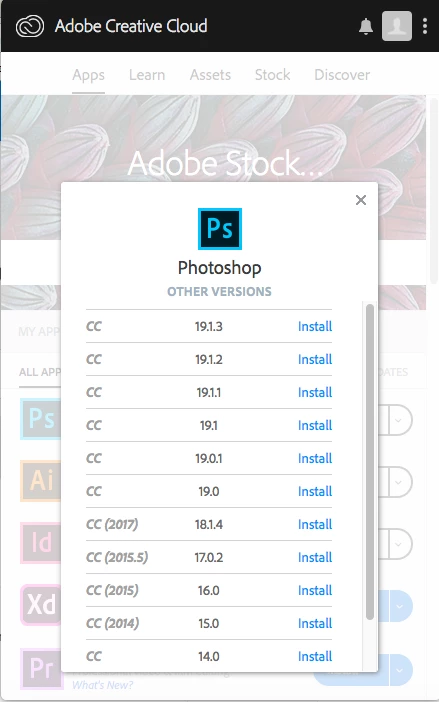
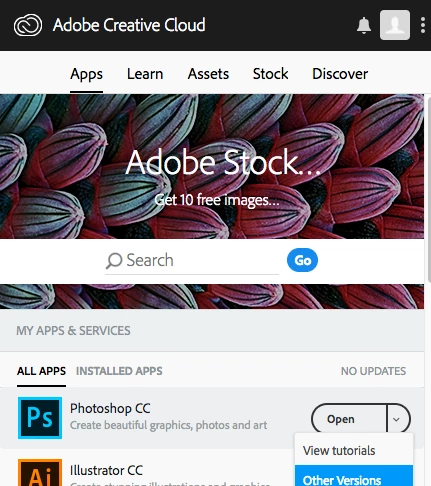
Yes, and here's how you install older versions:

Step 1: The down-pointing arrow next to Open reveals a drop-down menu. "Other versions" would the past versions.

If an update doesn't work properly, you can access an earlier one.

Step 2:

1 reply

gener7
Community Expert
gener7Community ExpertCorrect answer
Community Expert
October 25, 2018

Yes, and here's how you install older versions:

Step 1: The down-pointing arrow next to Open reveals a drop-down menu. "Other versions" would the past versions.

If an update doesn't work properly, you can access an earlier one.

Step 2:

jvknowlesAuthor
Inspiring
October 25, 2018

Thank you for the response. Are you 100% that Adobe will keep CC18 around? I was hoping to hear directly from them but do you have it on good authority that this is the case?

I do know how to install older versions,  I was not asking about the process specifically but how CC18 *should* appear on my system. With my limited testing on my Macs and some notes from friends, here is the behavior I see:

CC18 IS installed on my system: will not appear in Other version list

CC18 IS NOT installed on my system: will appear in Other versions list

I don't mean to sound paranoid but I'm hesitant to delete any of the CC18 apps I have installed until I know for sure I can get them back if need be. I thought that all previous versions used to appear on this list (regardless of installed vs not installed) so either I'm remembering that wrong or they changed the behavior in Creative Cloud.

gener7
Community Expert
Community Expert
October 25, 2018

"I do know how to install older versions,  I was not asking about the process specifically but how CC18 *should* appear on my system. With my limited testing on my Macs and some notes from friends, here is the behavior I see:

CC18 IS installed on my system: will not appear in Other version list

CC18 IS NOT installed on my system: will appear in Other versions list"

Then you have seen with your own eyes that CC 2018 is returned to the Other Versions list upon uninstall.

You need nothing official.