

Participant
September 2, 2020
Answered

license

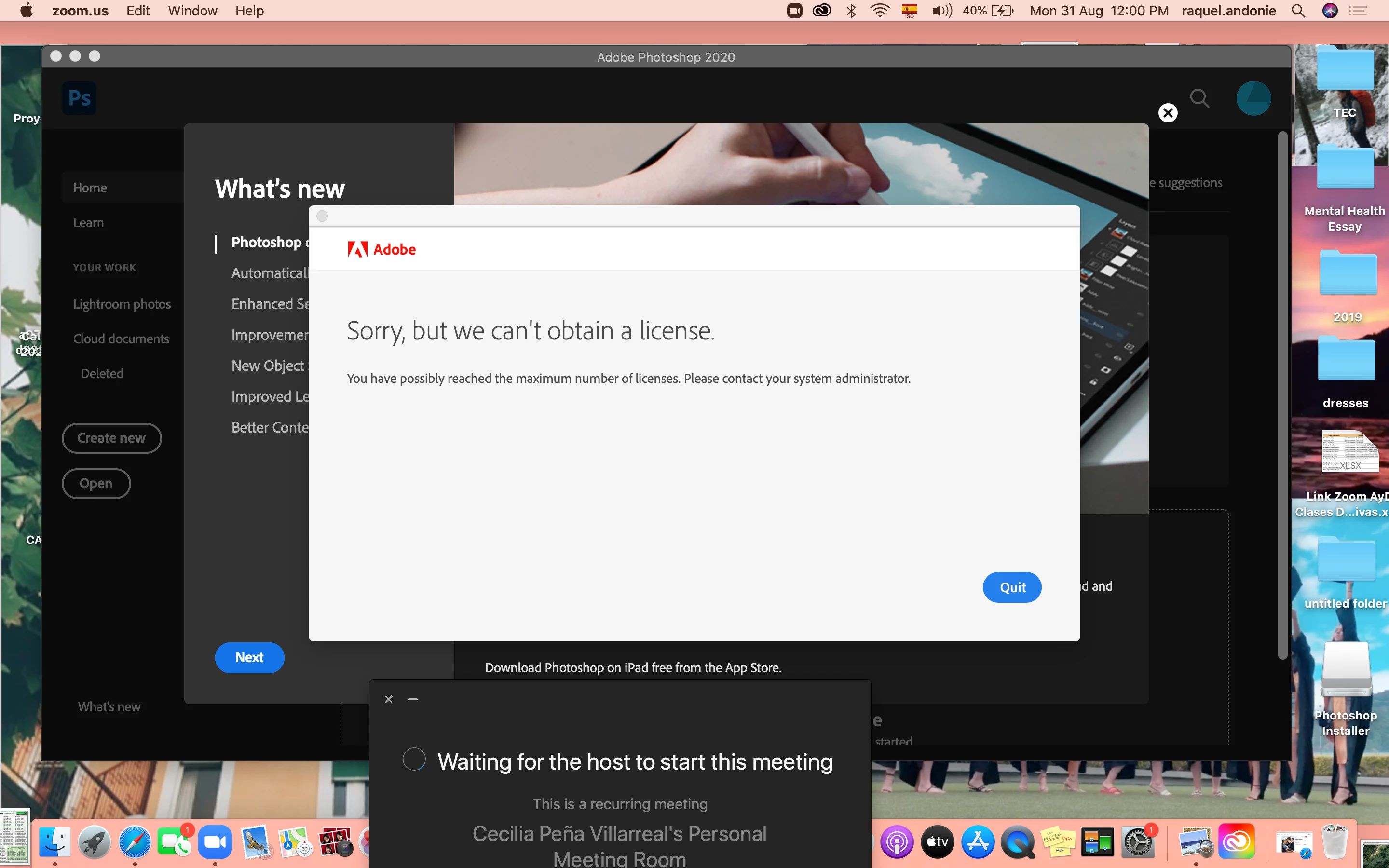
I had a lot of trouble downloading photoshop and now I can't even using because it says that I can't get my license. What do I do and is anyone else having the same problem as me?

This topic is closed to new replies. Start a new post to keep the conversation going.
Nancy OShea
Nancy OSheaCorrect answer
Community Expert
September 5, 2020

Moving to Download & Install where this belongs.


1. Open CC Desktop App.
2. Click the gear icon > General tab > Settings. Select "Always keep Creative Cloud up to date."
3. Click on your Avatar (top right image).
4. Sign-out of Creative Cloud.
5. Close all apps.
6. Restart your computer.
7. Open CC Desktop app.
8. Click your Avatar.
9. Sign-in with your paid ID and password.


Nancy O'Shea— Product User & Community Expert

2 replies

Nancy OShea
Community Expert
Nancy OSheaCommunity ExpertCorrect answer
Community Expert
September 5, 2020

Moving to Download & Install where this belongs.


1. Open CC Desktop App.
2. Click the gear icon > General tab > Settings. Select "Always keep Creative Cloud up to date."
3. Click on your Avatar (top right image).
4. Sign-out of Creative Cloud.
5. Close all apps.
6. Restart your computer.
7. Open CC Desktop app.
8. Click your Avatar.
9. Sign-in with your paid ID and password.


Translate
Nancy O'Shea— Product User & Community Expert
September 2, 2020

Moving to the Licensing forum from Photoshop

Translate
