
Lightroom 4.2 install fails at setup64.exe
Environment:
---------------
- OS: Windows XP fully patched.
- Running as an admin user.
- Old lightroom version: from 2007, uninstalled a couple of years ago, incl. Lighroom folder in My Pictures.
- ZoneAlarm logs showing noting relevant.
Procedure to problem:
-------------------------
I've downloaded the trial; the file (Lightroom_4_LS11.exe) is about the right size (769,437KB).
Double-clicking it starts OK.
The first dialog box allows me to specify the location for the working folder (makes no difference if I take the default or specify another one; there's 20Gb free).
Next is a progress box: it gets to 100%, last working on setup64.exe, as below
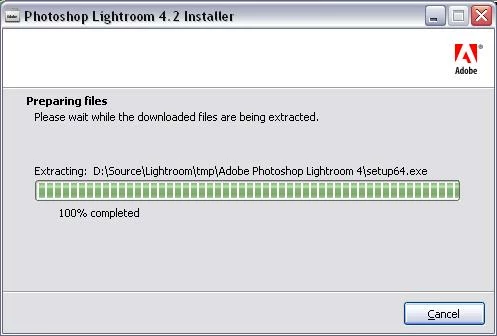
At this stage a few files are in the working folder, including setup64.exe but with size 0.
(setup32.exe was OK)
Then immdiately this:

(That is: "A problem occurred while extracting some files. Check available space on your computer and write privileges on the destination folder.")
I see other folks (on different fora) have been getting this last dialog box, with other Adobe products (eg. CS6), but I have yet to find a solution that works.
Re-downloading didn't help.
Please help because I'd really like to try LR, though obviously this experience doesn't fill me with confidence!
Mike
 AdChoices