beauhurst
Participant
November 21, 2018
Answered

Login fields not showing in Creative Cloud app on Mac

  • November 21, 2018
  • 1 reply
  • 217 views

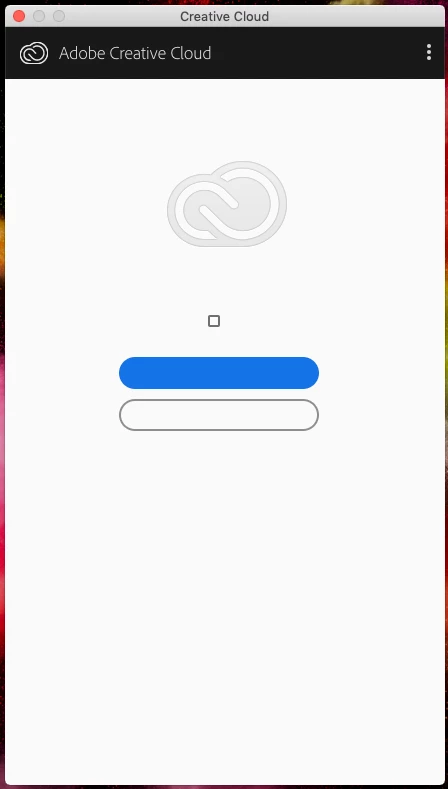
Hello! When I open the Creative Cloud app on MacOS, I see the folliowing. It looks like a lot of the interface elements are not displaying. I can tick the checkbox, and click the two buttons, but they don't do anything. Is there any way to fix this without uninstalling everything and reinstalling everything?
This topic has been closed for replies.
Correct answer

Hi

Try uninstalling and reinstall the CC desktop app

Uninstall the Adobe Creative Cloud desktop application

1 reply

Correct answer
November 21, 2018

Hi

Try uninstalling and reinstall the CC desktop app

Uninstall the Adobe Creative Cloud desktop application

beauhurst
beauhurstAuthor
Participant
November 21, 2018

Thanks - that worked, using the instructions you provided. I was worried I'd need to uninstall and reinstall the apps as well, if I uninstalled the creative cloud application, but I didn't have to.

It's a shame that the problem can only be solved that way, but it wasn't that painful!