


Question
MAC InstallCC Apps to external hardrive is Byzantine but possible...
There is a supposed option in creative cloud to install apps to whatever folder you want. But what it means, is ANY FOLDER ON THE SYSTEM DRIVE.
HOWEVER, here's how to hack and workaround that.
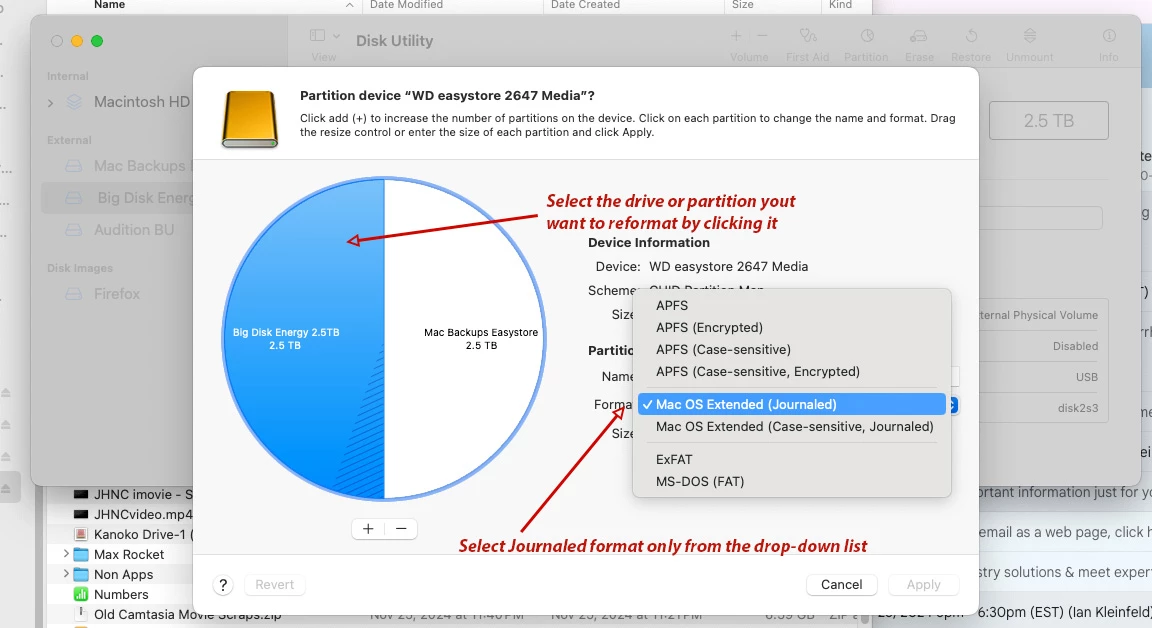
- Go to Disk Utility and highlight the drive you want the apps installed on
- If there is a partition or not, reformat that drive or partition to Mac OS Extended (Journaled). DO NOT reformat to Mac OS Extended (Case-sensitive, Journaled). There be dragons. Adobe app installations are not apparently compatible with case-sensitive drives.
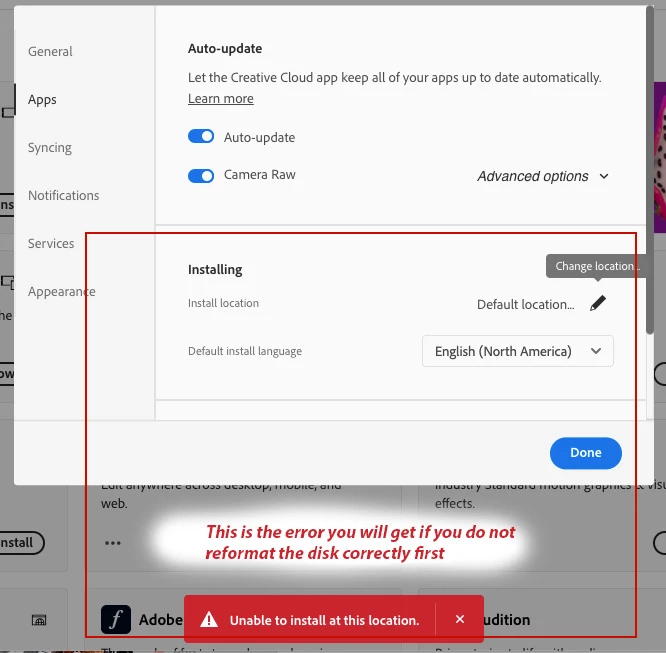
- Once that is done, go to the Adobe Creative Cloud Preferences, under your user icon (see below)
- Select Preferences > Apps > Install location (which is a tiny edit pencil on the lower right (see below)
- At this point you will be able to install most apps on the external drive except for a few, specifically Acrobat Pro for some reason
- WARNING: It will be slower to open than usual. Attempting to modify extra large files will be painstakingly slow if not impossible, which is why any of the Video apps like Premier or After Effects shouldn't be install on external drives. The throughput is too much and too slow.
 AdChoices